How StockAI works: the steps, the rule and every screen.
First, the whole journey, step by step, and how the AI models compete for every product. Then the exact calculation that turns a product red, so you can check it by hand. And finally, the application screen by screen, with real captures and data inside.
AI sales forecasting: you upload your history, the AI does the rest.
From your sales file to a forecast per product, tested against your own past, and from there to the purchase order: eight steps, and you only do two, upload the file and record what arrives. StockAI works through everything else, product by product, and every step leaves something you can check on screen.
Your sales
A CSV or Excel file exactly as it comes out of your system. StockAI works out which column is the date, the product and the quantity sold.
Date, product and quantity: that is enough
Review and clean-up
Before training, every product is checked: missing dates, outliers, too little history. If the file would produce a wrong forecast it does not run until you choose how to fix it, because filling gaps with zero and interpolating them say different things about what happened.
With your stock history, days with nothing on the shelf stop counting as days with no demand
A model competition per product
Each product is classified by how it sells (steady, seasonal, intermittent or volatile) and the models that handle that pattern best compete, out of nine available: gradient-boosted trees, classical statistical models and a neural network.
LightGBM, XGBoost, ARIMA, SARIMAX, Prophet, ETS, Croston, LSTM and a global model
Tested against the past
Each model has the last stretch of your history hidden from it and is asked to forecast it, over several cut-offs. The one whose mistakes cost least wins, and it has to beat two naive forecasts.
Falling short weighs three times more than overshooting
Forecast with a range
The winner is trained again on your whole history, the latest weeks included, and projects demand with a likely range around it.
Daily, weekly, monthly or quarterly
Signal and quantity
Forecast demand is set against your stock on hand and your supplier’s lead time. Every product lands on ORDER NOW, ORDER SOON, OK or OVERSTOCK, with a suggested quantity.
The rule is published and can be done by hand
Purchase order
The order comes out grouped by supplier, with the reason for every line. You review it, adjust it and send it by email, or by WhatsApp.
Exportable as CSV or PDF
A reception that teaches the lead time
When you record an arrival, StockAI notes how many days it really took. From a supplier’s third delivery it plans with that lead time, not the promised one.
And that lead time feeds back into the signal
An AI competition for every product. The cheapest mistake wins.
A product that sells every day is not forecast the way one that sits for weeks without moving is. So StockAI does not run one model over the whole catalogue: it puts machine-learning models, a neural network and classical statistical models in competition on each product’s history, and plans with the winner. It is the work a data-science team would do, running on its own across your whole catalogue.
Who competes, depending on how it sells
A product can carry two patterns at once, seasonal and volatile for instance, and then the models for both compete. The classification only narrows the models you have active: it never trains one you did not choose.
In every competition
A global model, trained on your whole catalogue
It competes on every product. It helps most on those with little history or intermittent sales: it learns from how the rest of your catalogue behaves, which no single-product model can do.
Two naive forecasts as the yardstick
Repeat the last value, and repeat last season. They cannot win, but they do measure: if no model beats them on a product, the run tells you instead of hiding it.
What makes this AI engine different
The winner is the one whose mistakes cost least
Running out loses you sales; overstock ties up cash. They do not cost the same, so the winner is chosen on a cost where falling short weighs three times more than overshooting, measured across the whole horizon you are buying for.
A stockout is not mistaken for no demand
If a product ran out, its zero sales do not say nobody wanted it. With your stock history, StockAI marks those days and estimates what would have sold, so it does not learn the stockout as a slump and under-order again.
Tested on dates it never saw, trained on all of them
The competition is judged on a stretch the model never saw. Once chosen, the winner is retrained on the full history, so your latest weeks of sales are in the forecast you buy from.
If the file is not enough, no number is invented
A product without enough history stays out of the forecast and shows as NO DATA, with no suggested quantity. And a file that would produce a wrong forecast is stopped before training, with the explanation on screen.
And an AI analyst you can just ask
Ask your forecast and your inventory what you would ask your best analyst: "which supplier is running late?", "why did this category go up?". It answers about your own account, reading the same signal and the same orders you see on screen, and every answer says where it came from.
- It writes and explains; order quantities are computed by the forecasting engine, not the chat.
- It uses an external language model. If that is unavailable, the screen says so before you type.
Reorder point and signal: how StockAI decides when to buy.
The AI forecasts; the decision to buy rests on a rule in plain sight. No recommendation comes out of a black box: you can do the arithmetic by hand and check it gives the same answer.
The arithmetic
Coverage = stock on hand ÷ forecast daily demand: how many days you last if nothing else arrives. That figure is compared against two references. Your supplier’s lead time, the days they take to deliver once you place the order. And your reorder point: what you will sell while you wait for that order, plus a safety buffer.
It is the logic you already run in your head, only applied to the thousands of codes you never get to review: if what you have cannot cover the wait, it is time to order.
You decide the buffer: it comes from the service level you choose, for the whole company, per supplier, per category or per product. And if you order from a supplier on a fixed cycle, that interval goes into the reorder point too. And the cut-offs are yours too: “order now” below half the lead time and “overstock” from three times the lead time come as defaults, but you change them for the whole company, per supplier or per category, and before saving you see how many products would change signal.
You sell 20 units a day of a product, your supplier takes 15 days to deliver and your safety buffer is worth 5 days of sales. Your reorder point lands at 20 days: 400 units. With that, the four signal states become concrete quantities — the ones in the table below. Change any of the numbers and the cut-offs move on their own, product by product.
From the alert to the order sent, before your second coffee.
What you do with the forecast. This is what a buying day looks like when the AI has already forecast your sales overnight. Every step is a screen or a channel that exists in StockAI today.
Before you arrive
What is urgent is already waiting
The daily summary of products that moved into risk reaches your inbox, and your WhatsApp. If you left the scheduled recalculation on, the list is already up to date with yesterday’s sales.
On the dashboard
One screen, the only thing to decide
How many products are at risk today and this week, a written summary of the day’s risks, opportunities and actions, and the orders that should already have arrived.
In inventory
What to order, and how much, already worked out
Your whole catalogue in ORDER NOW, ORDER SOON, OK and OVERSTOCK. The suggested quantity already accounts for what is on its way and is measured against each supplier’s real lead time.
In orders
The order comes out grouped by supplier
With the reason for every line. You review it, adjust it and send it by email (or by WhatsApp), or export it as a PDF for your system.
When the goods arrive
Every reception teaches it something
You record the arrival, complete or partial, and StockAI notes how many days it really took. From the third delivery, that supplier is planned with its real lead time.
When a question comes up
You ask your AI analyst
In the app or on WhatsApp: what is in the red, which orders are still pending, how the forecast looks. It answers with your own account’s figures and points you to the screen where each thing is done: approving and receiving orders stays yours, in the app.
Screen by screen.
Real captures of the running app, with data in them. The chapters are the same groups as StockAI’s own menu, in the same order: it is the map you will have five minutes after signing in.
Daily operation
What you open every morning, before the coffee.
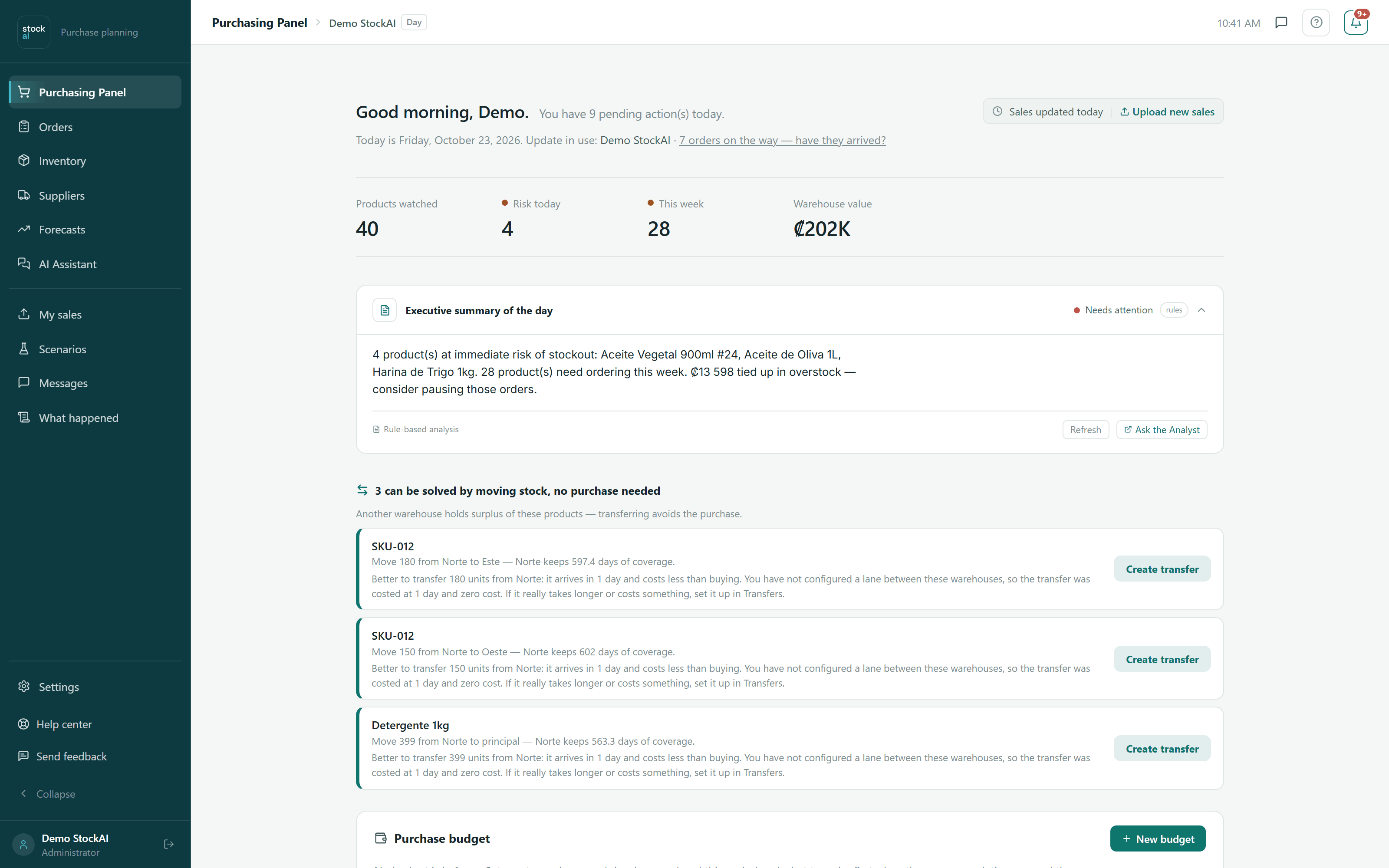
Purchasing dashboard
The first thing you see. It gathers on one screen the only thing you have to decide today: what is about to run out, which orders are on their way, and where to start.
- How many products are at risk today, and how many this week
- A written summary with the day’s risks, opportunities and actions
- The orders that should already have arrived, ready to be received
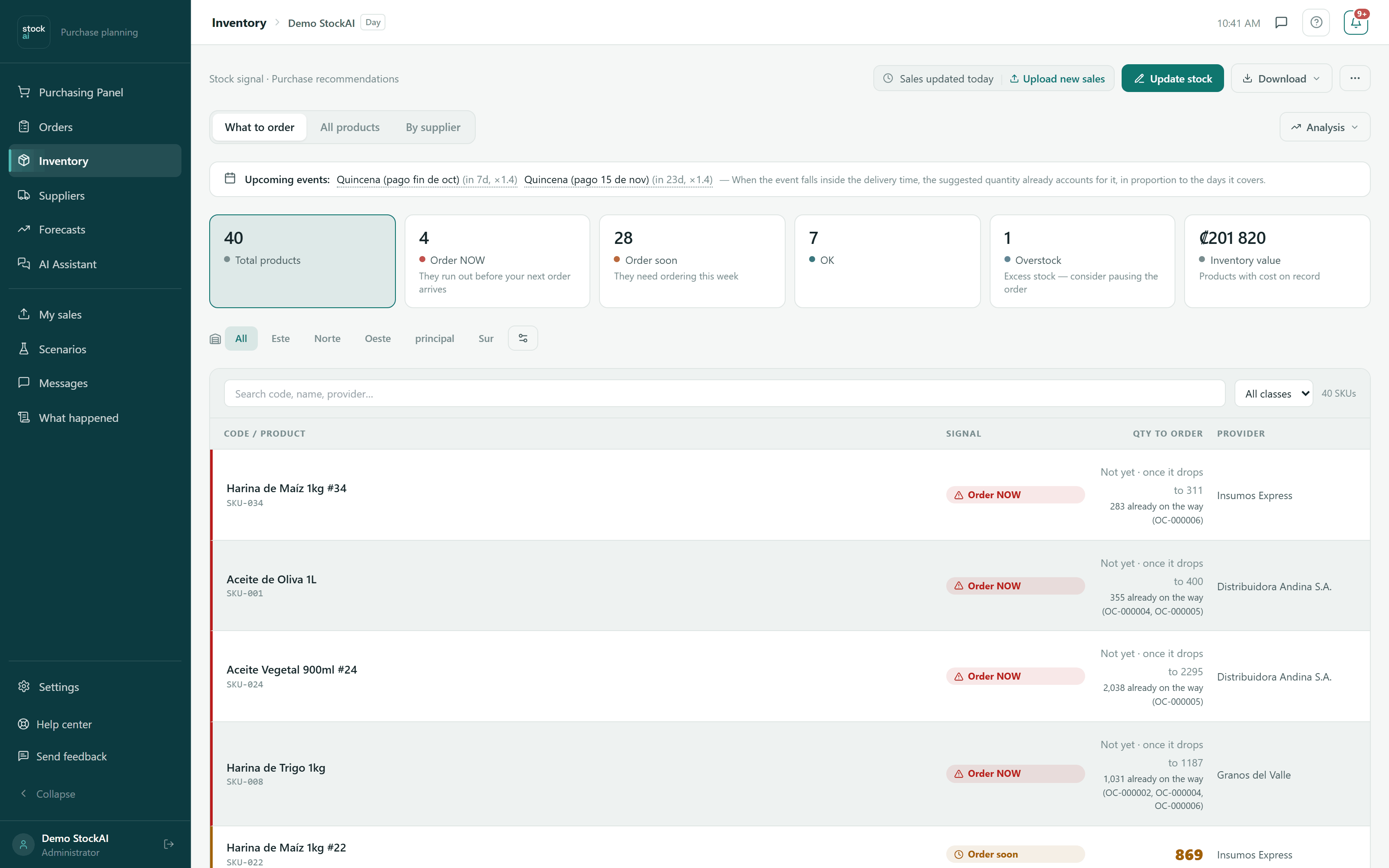
Inventory
Your whole catalogue in four states, and for each product the quantity to order already worked out against its supplier’s real lead time. Nothing to interpret.
- The signal: ORDER NOW, ORDER SOON, OK and OVERSTOCK
- A tab per warehouse, plus the consolidated view
- The purchase order ready to export as CSV or PDF
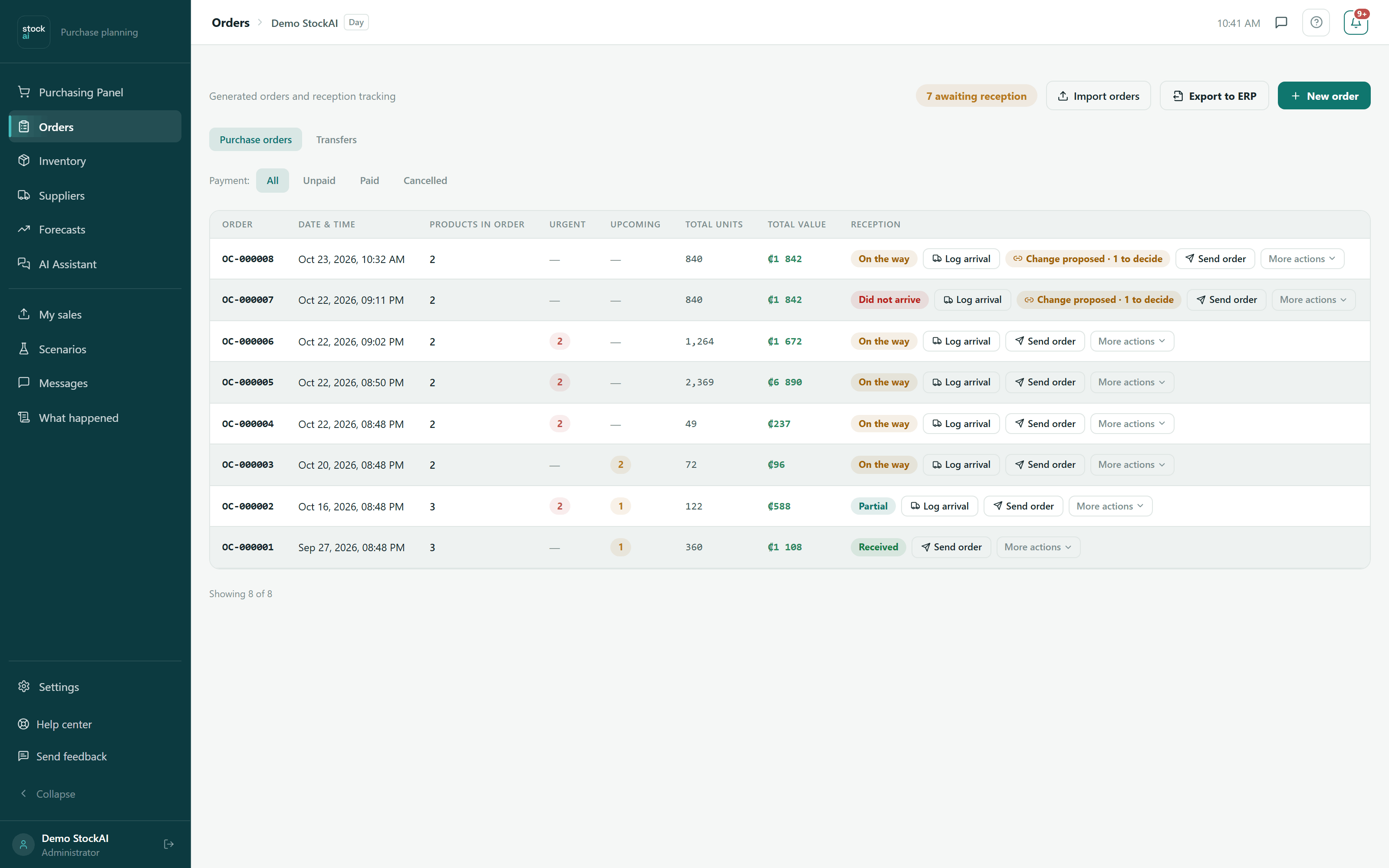
Orders
The orders you generated, from the moment they leave to the moment they land. Every reception you record teaches StockAI how long that supplier really takes.
- Orders in transit, partial and received, with their value
- Send the order to the supplier by WhatsApp or email
- Record the arrival, complete or partial
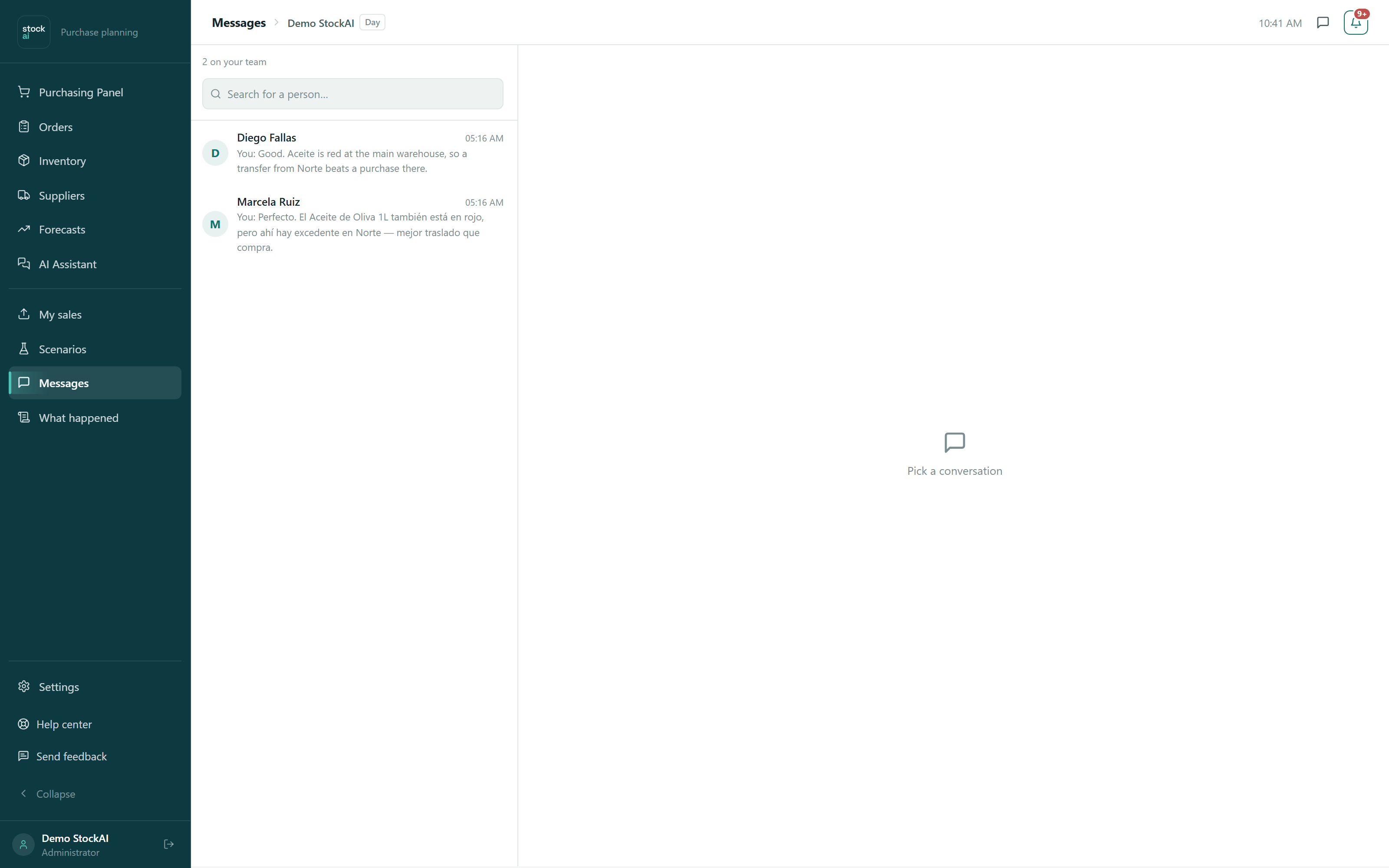
Messages
One-to-one conversations inside StockAI, about the products you are both looking at. The decision and the conversation do not live in two different apps.
- One thread per person on the team
- A WhatsApp or SMS heads-up when a message arrives
Your data
What you set up once, and adjust when something changes.
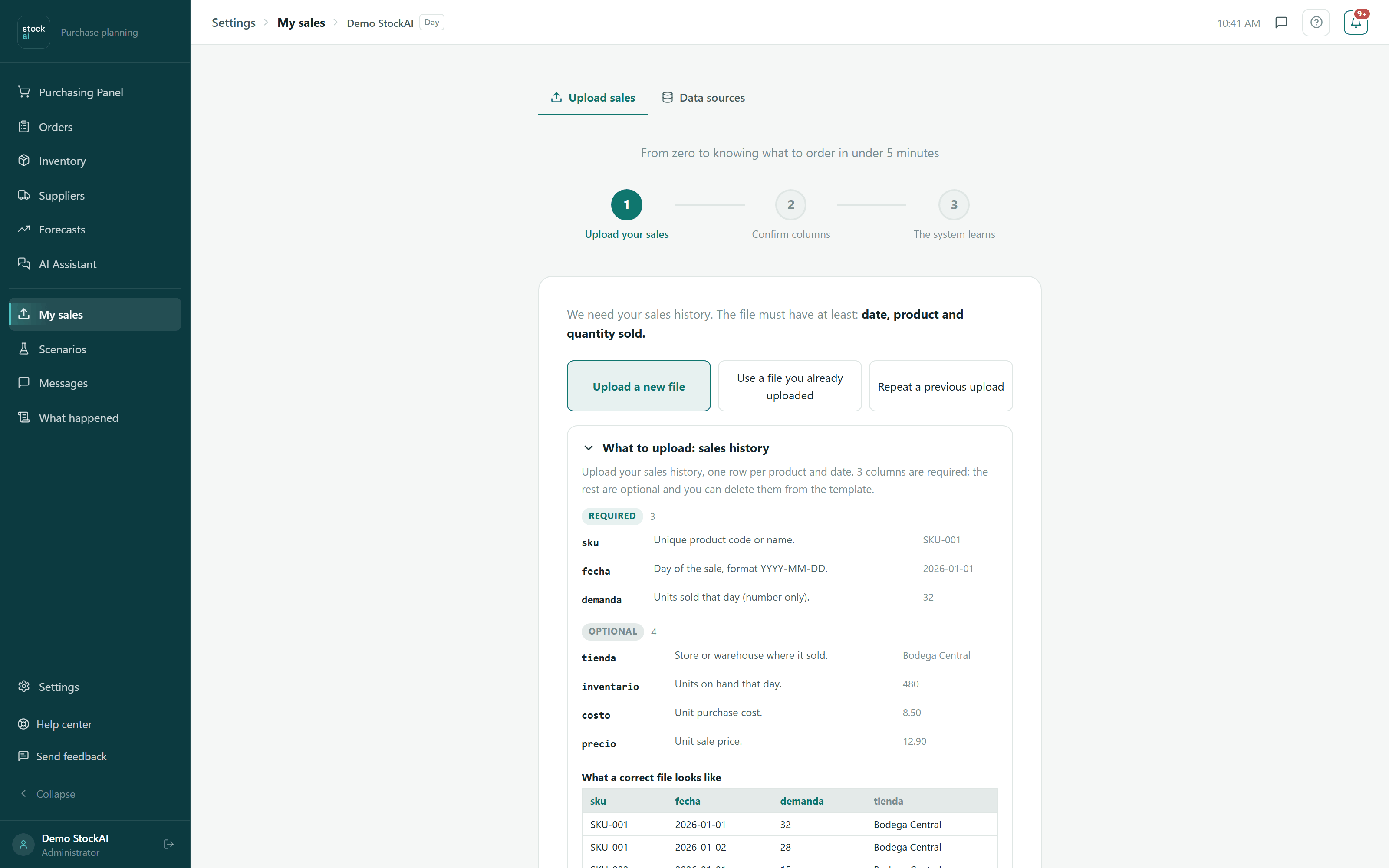
My sales
You upload the file you already have. Date, product and quantity is enough — StockAI reviews the file before training and tells you what it found.
- CSV or Excel, exactly as it comes out of your system
- How far ahead you want to plan, and at what grain
- Your country’s calendar, so paydays and holidays count
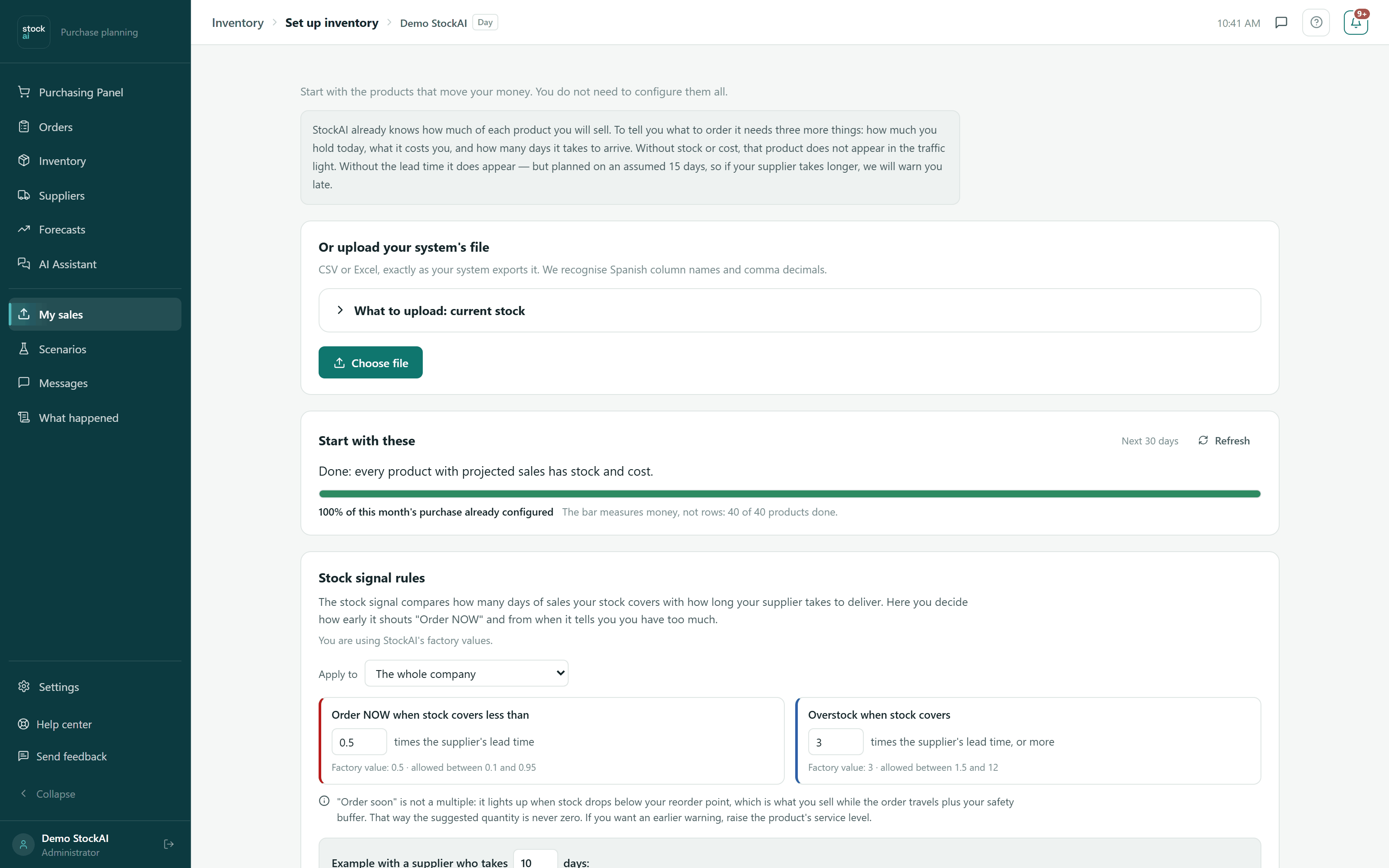
Inventory setup
The three things StockAI needs to know about each product: how much you have, what it costs and how long it takes to arrive. It tells you exactly what happens if one is missing.
- Load stock by hand or from your system’s file
- Rules per supplier or category, instead of product by product
- Which products stay out of the signal, and why
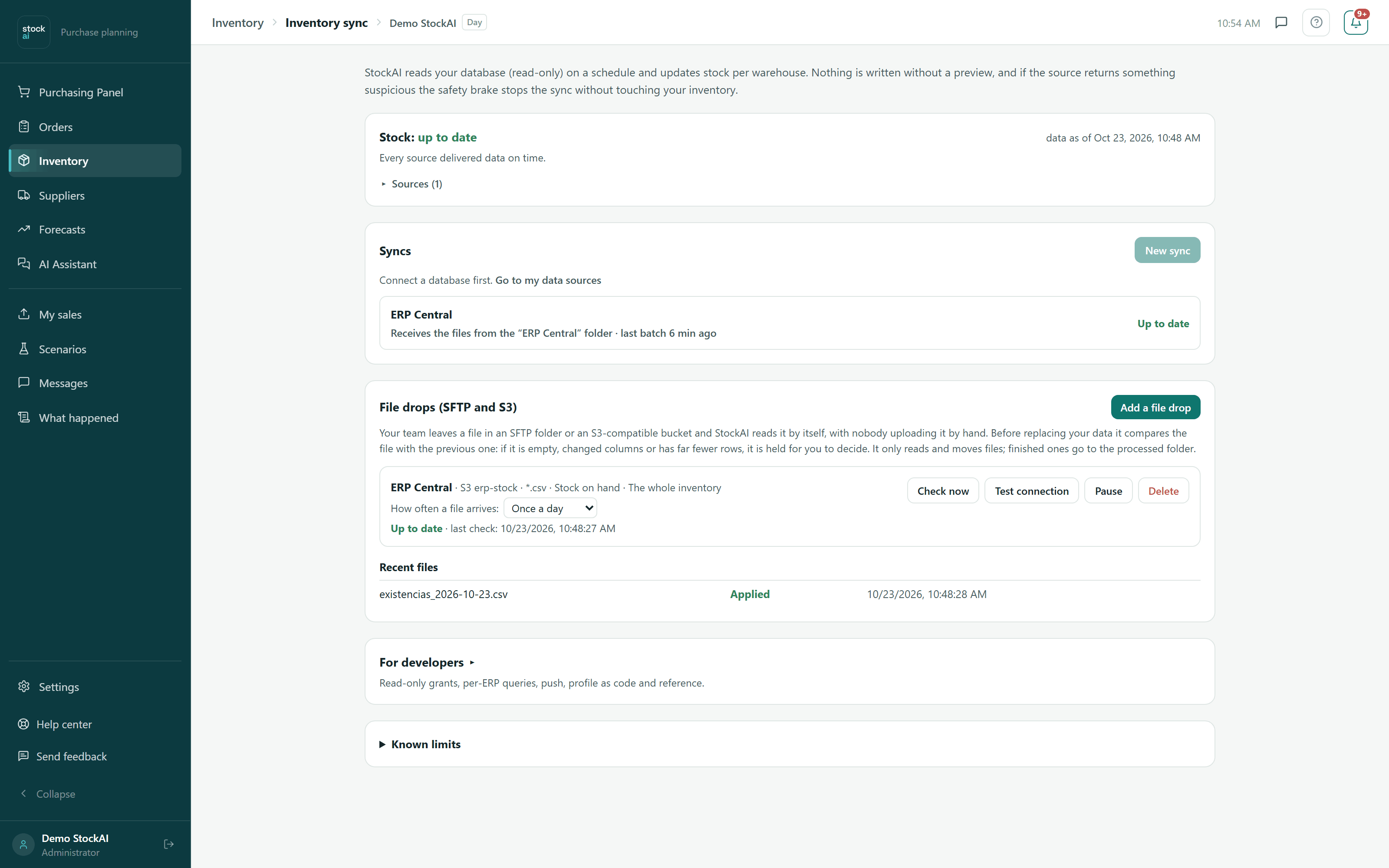
Stock sync
Your stock kept current without uploading files by hand: StockAI reads your database with a read-only account, receives what your system sends, or picks up the file your ERP leaves in an SFTP or S3 folder. At the top, one answer: whether stock is current and what waits for your decision.
- The first file shows what it understood and waits for your confirmation
- A safety brake that holds a suspicious file without touching your data
- Which source is current, which fell behind and which rows were rejected
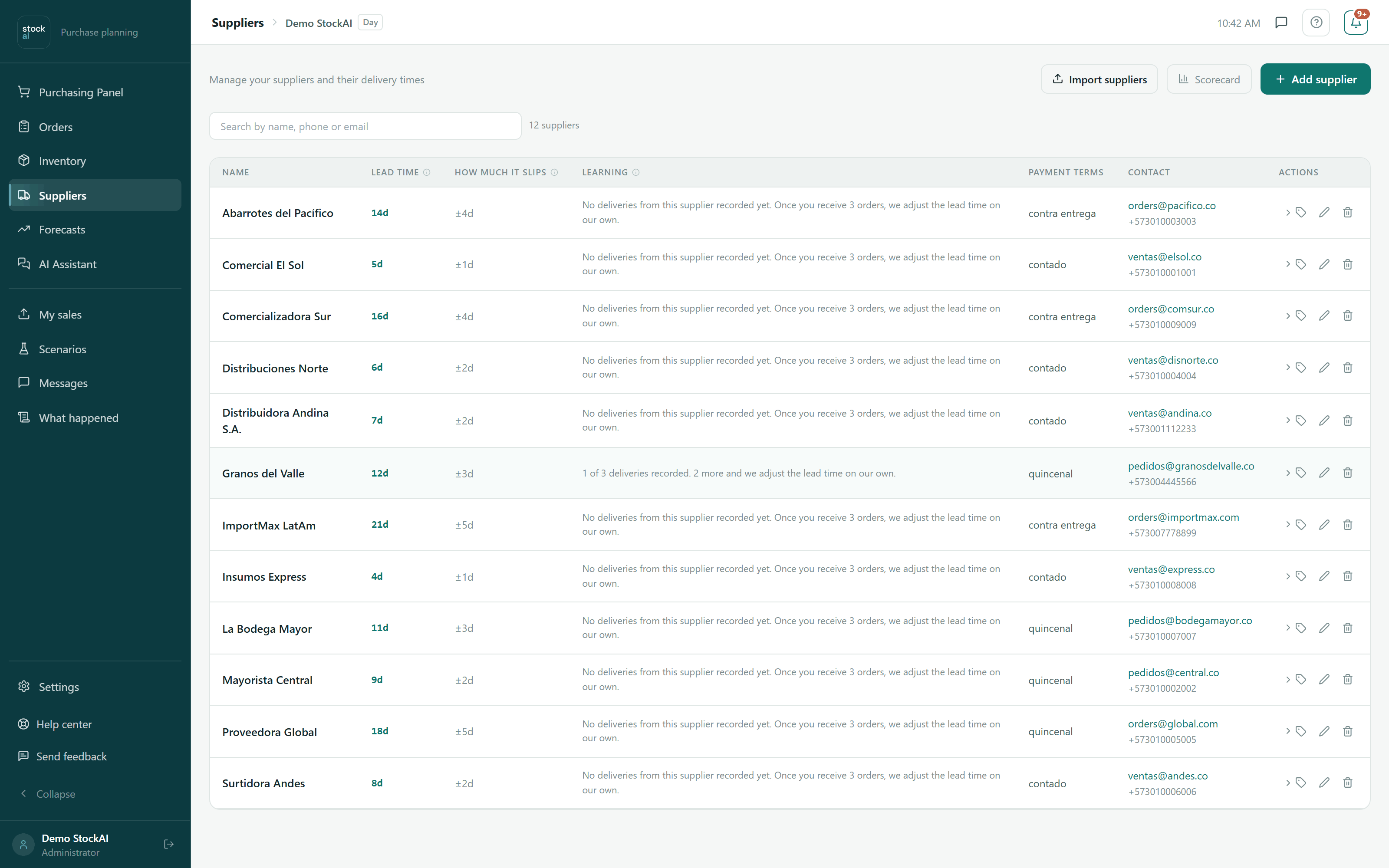
Suppliers
Each supplier’s card: how to reach them, how long they say they take, and how many deliveries in StockAI is towards learning how long they really take.
- Declared lead time, payment terms and contact details
- Volume price breaks, to know when a bigger order pays off
- The progress of the lead-time learning, delivery by delivery
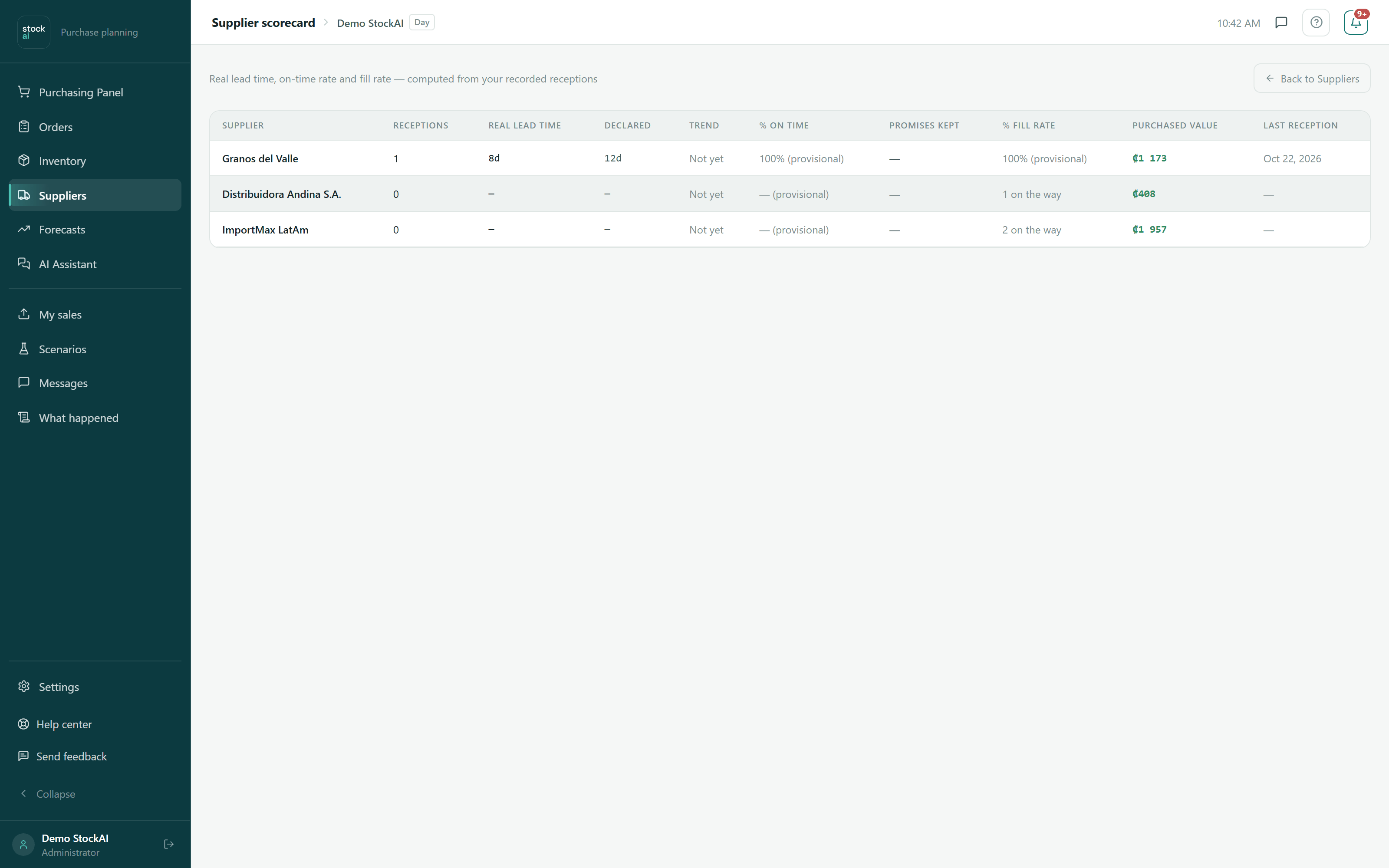
Supplier scorecard
What they said against what they did. StockAI compares the declared lead time with the one it measured in your own receptions, and plans with the second.
- Real learned lead time, against the declared one
- On-time percentage and how complete the deliveries were
- How much you have bought from each
Analysis
When you want to understand why, or test a decision before making it.
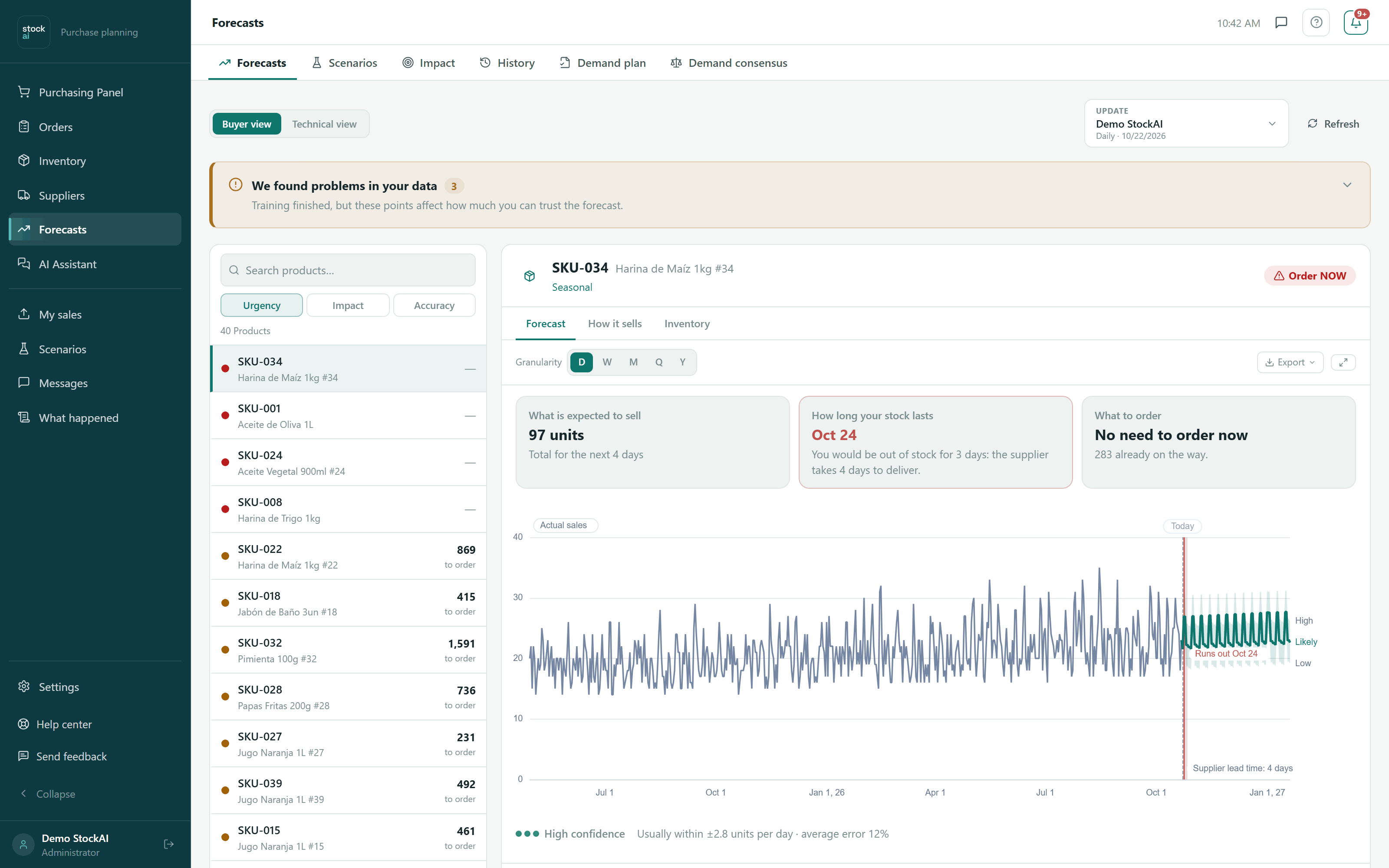
Forecast per product
How much you can expect to sell of each product and within what range, so you know how far to trust the suggested quantity before ordering.
- History, forecast and the likely sales range
- How far off the forecast tends to be, so you know how much to trust it
- Daily, weekly, monthly or quarterly, matching how you buy
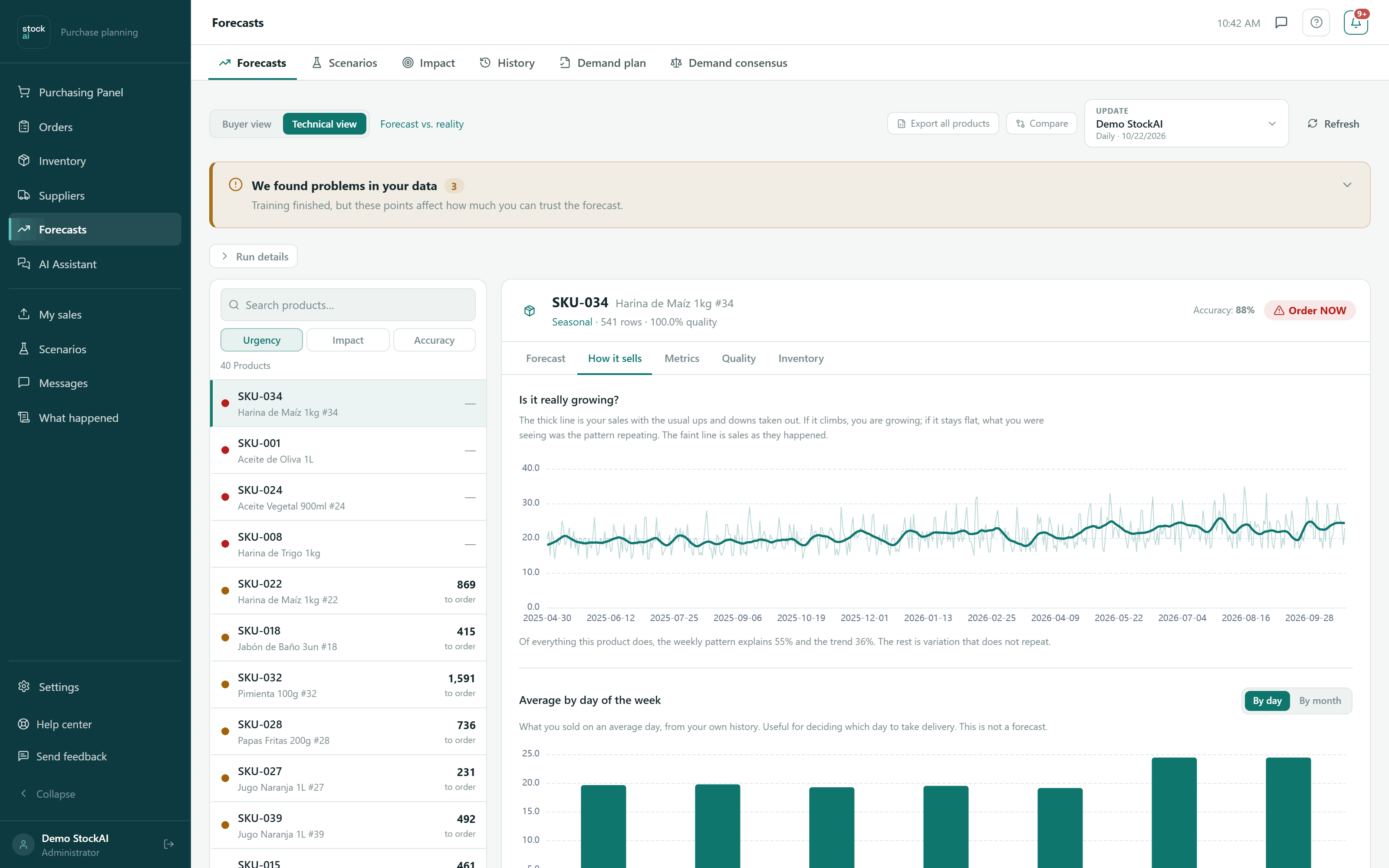
How each product sells
It separates what is genuinely growing from the weekly pattern repeating itself. That is the difference between a trend and a Monday.
- Sales with the usual up-and-down already taken out
- How much of the movement the day of the week explains
- The average per day, to see where the peak is
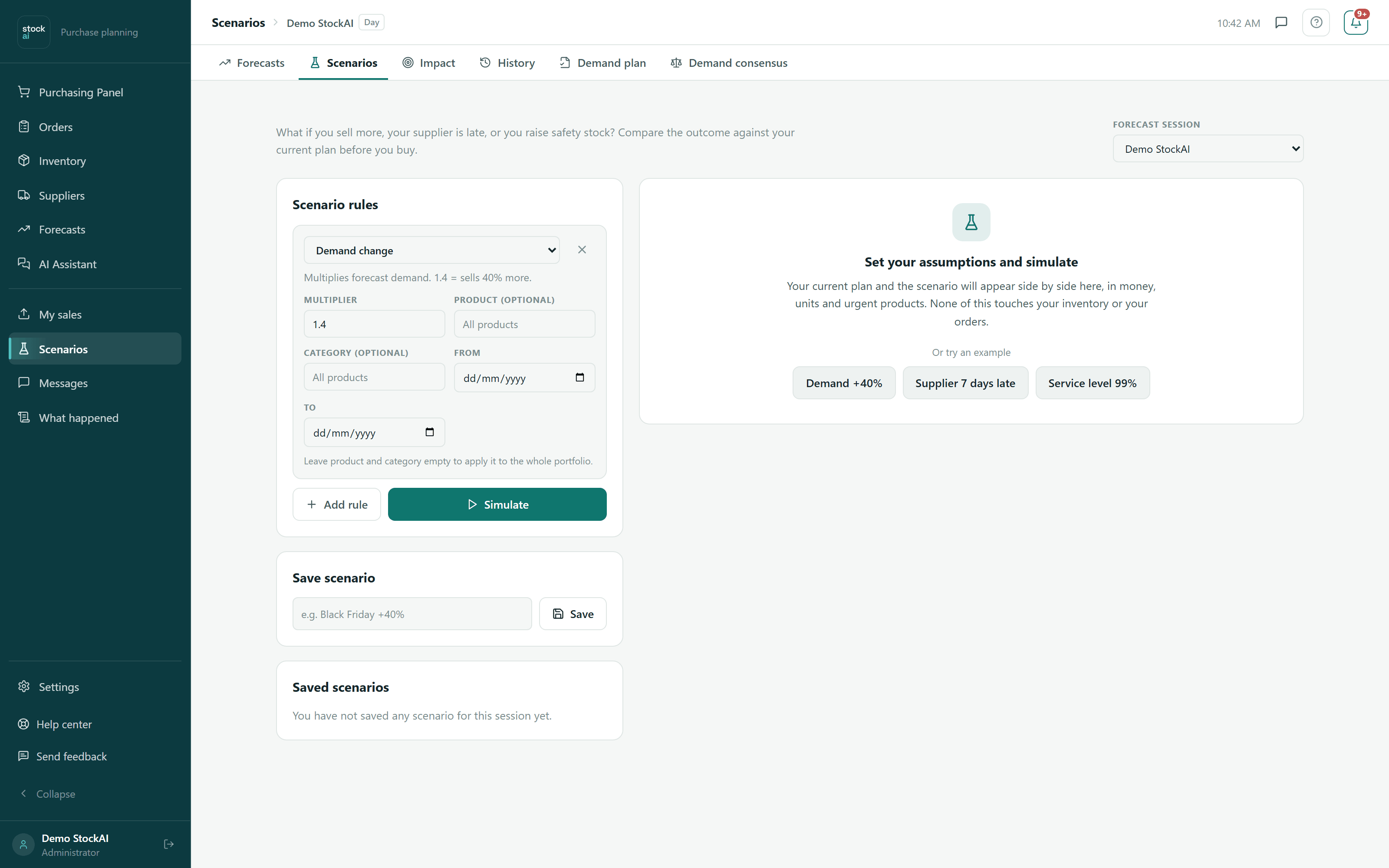
Scenario simulator
What happens if you sell 40% more, if your supplier runs a week late, or if you promote in December? You see it before committing, product by product.
- The current plan and the scenario, side by side
- Which products change state and how much the order changes
- Saved scenarios, to run them again
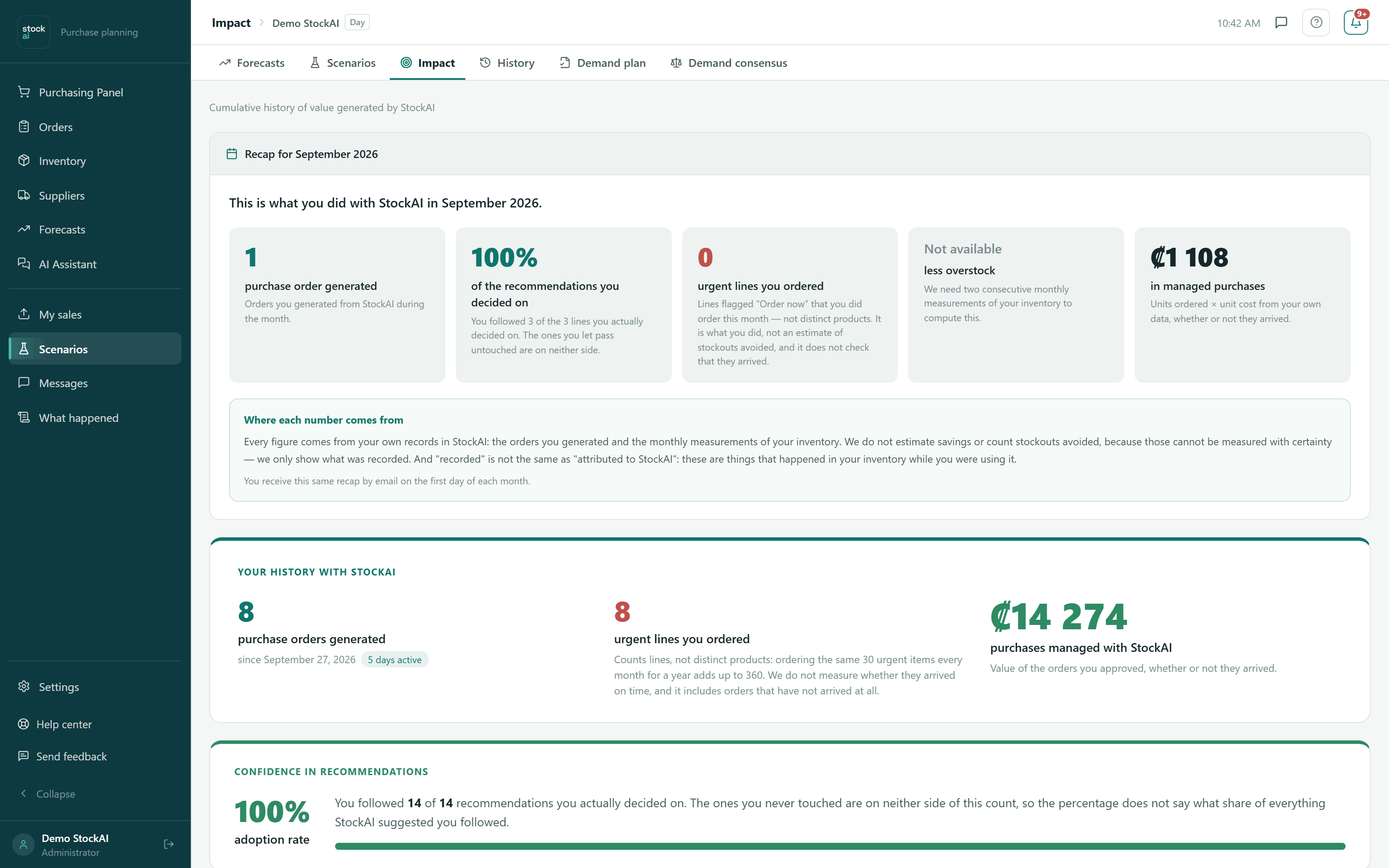
Impact
What you did with StockAI this month, from figures that come out of your own records. It does not estimate savings or count avoided stockouts, because those cannot be measured with certainty.
- How many orders you generated and how many recommendations you followed
- Where every number comes from, said plainly
- The same summary reaches your inbox on the first of the month
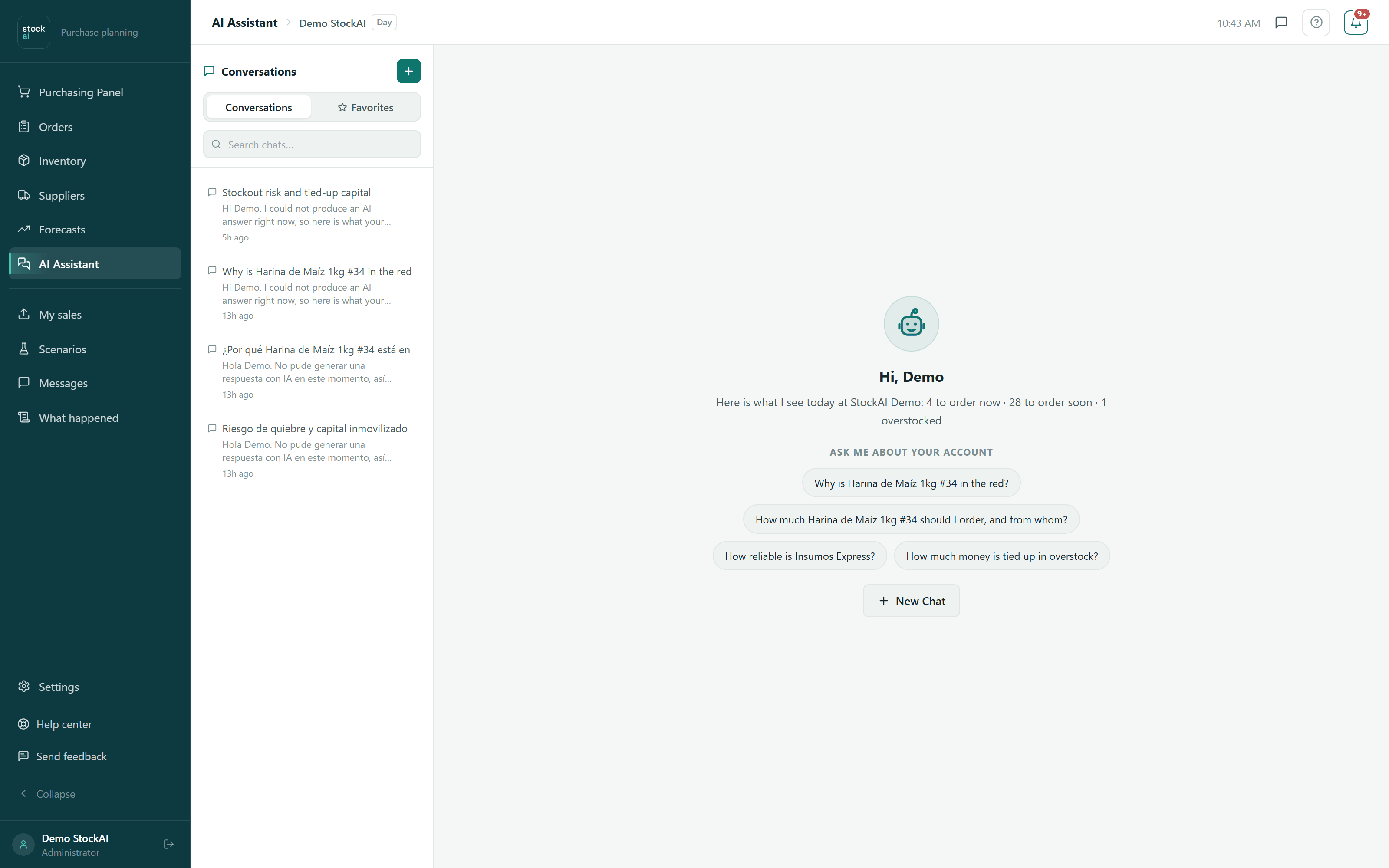
AI analyst
You ask about your own inventory in plain language and it answers with your figures. Not a generic chatbot: it reads the same signal you see on screen.
- How many products are in each state, and which ones
- What to review this week and which supplier to call first
- Suggested questions, if you do not know where to start
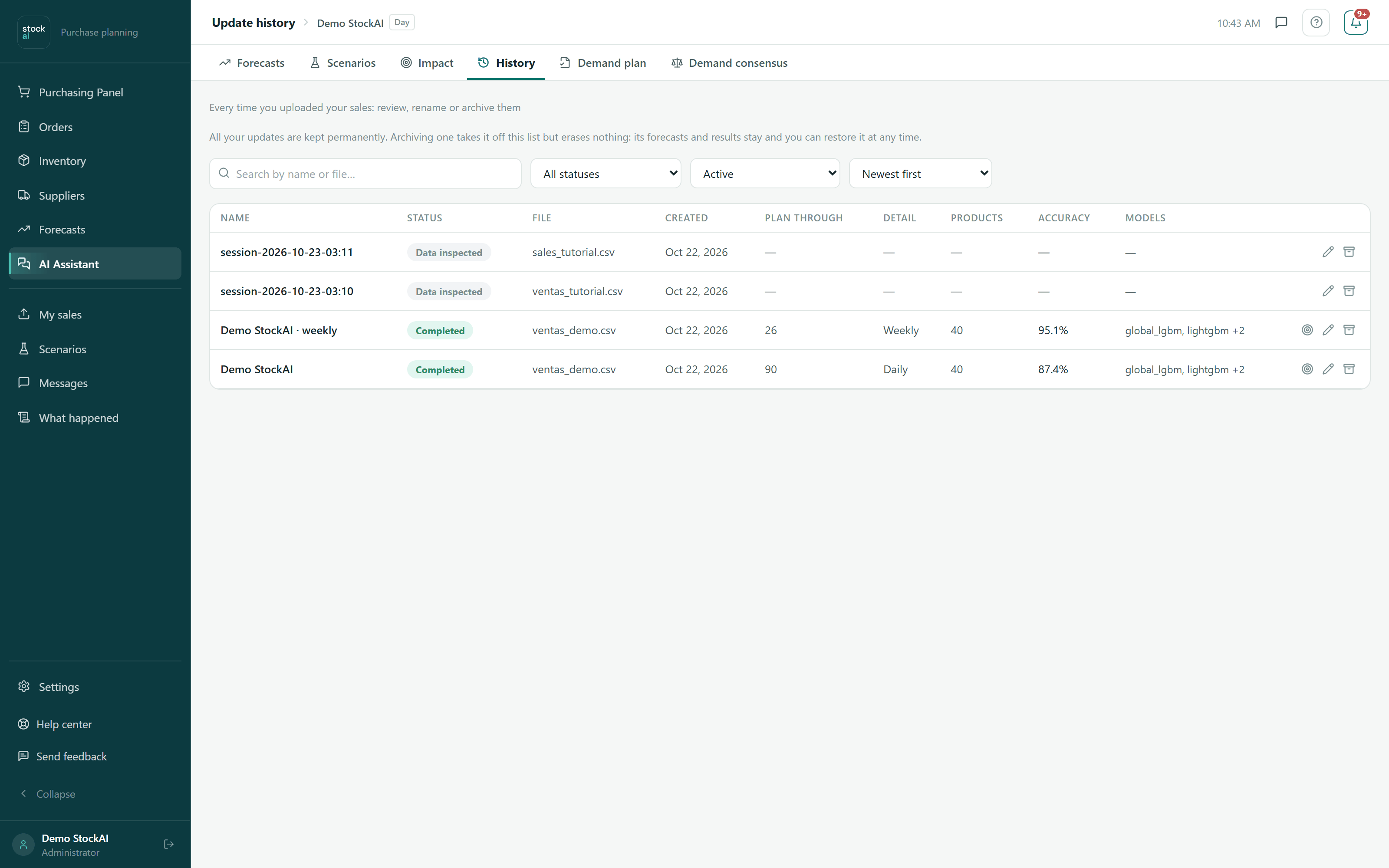
History
Every time you upload new sales a session is kept. You can go back to any of them, compare them, and see which one the signal is being calculated from today.
- All your runs, with their date and grain
- Which session is the active one
Your account and your team
What you touch every once in a while.
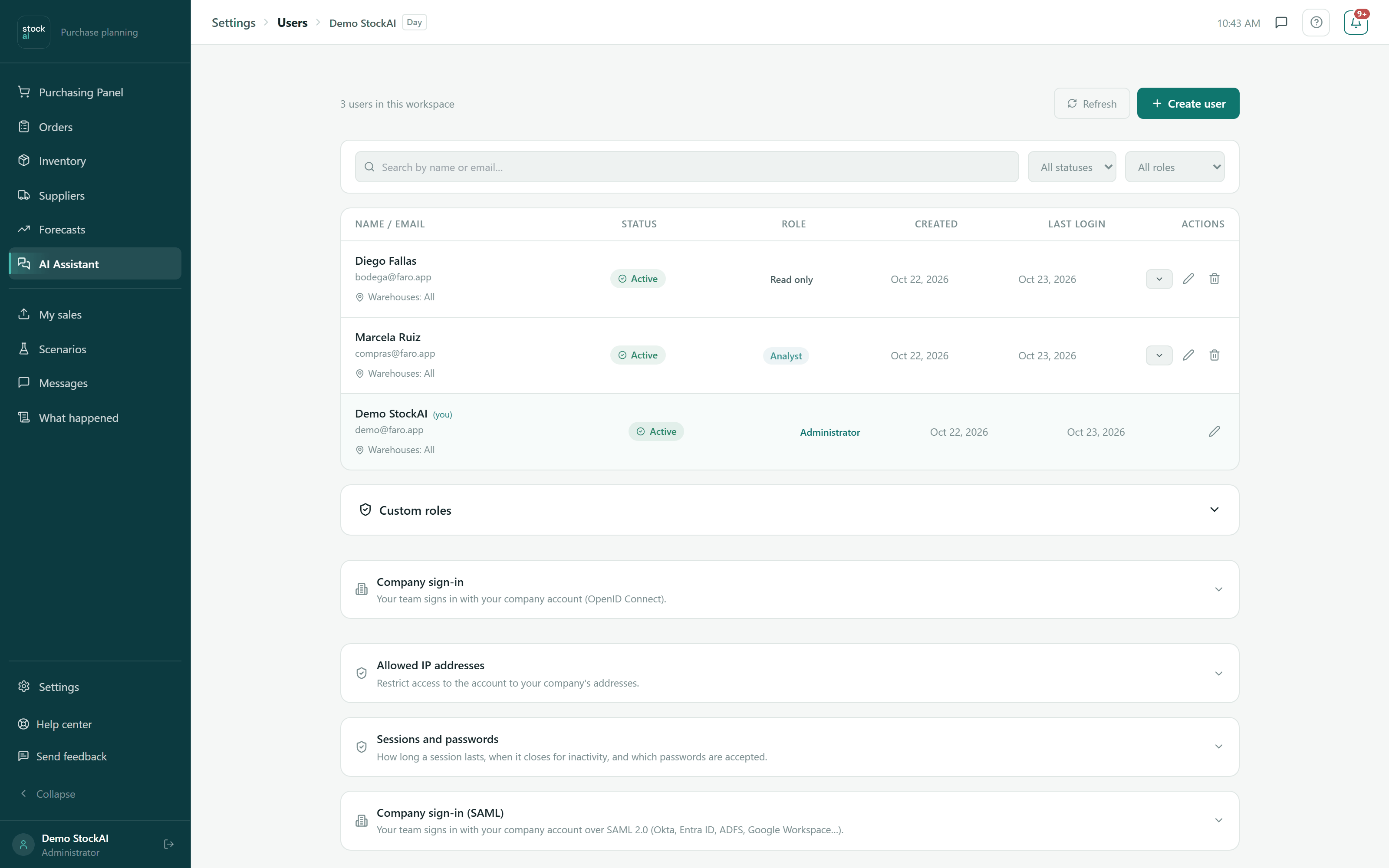
Team and permissions
You invite your people with the permission that fits. Whoever only looks, only looks: the three roles are the same ones the API respects.
- Administrator, analyst and read-only
- Invitation by email, with no passwords for you to invent
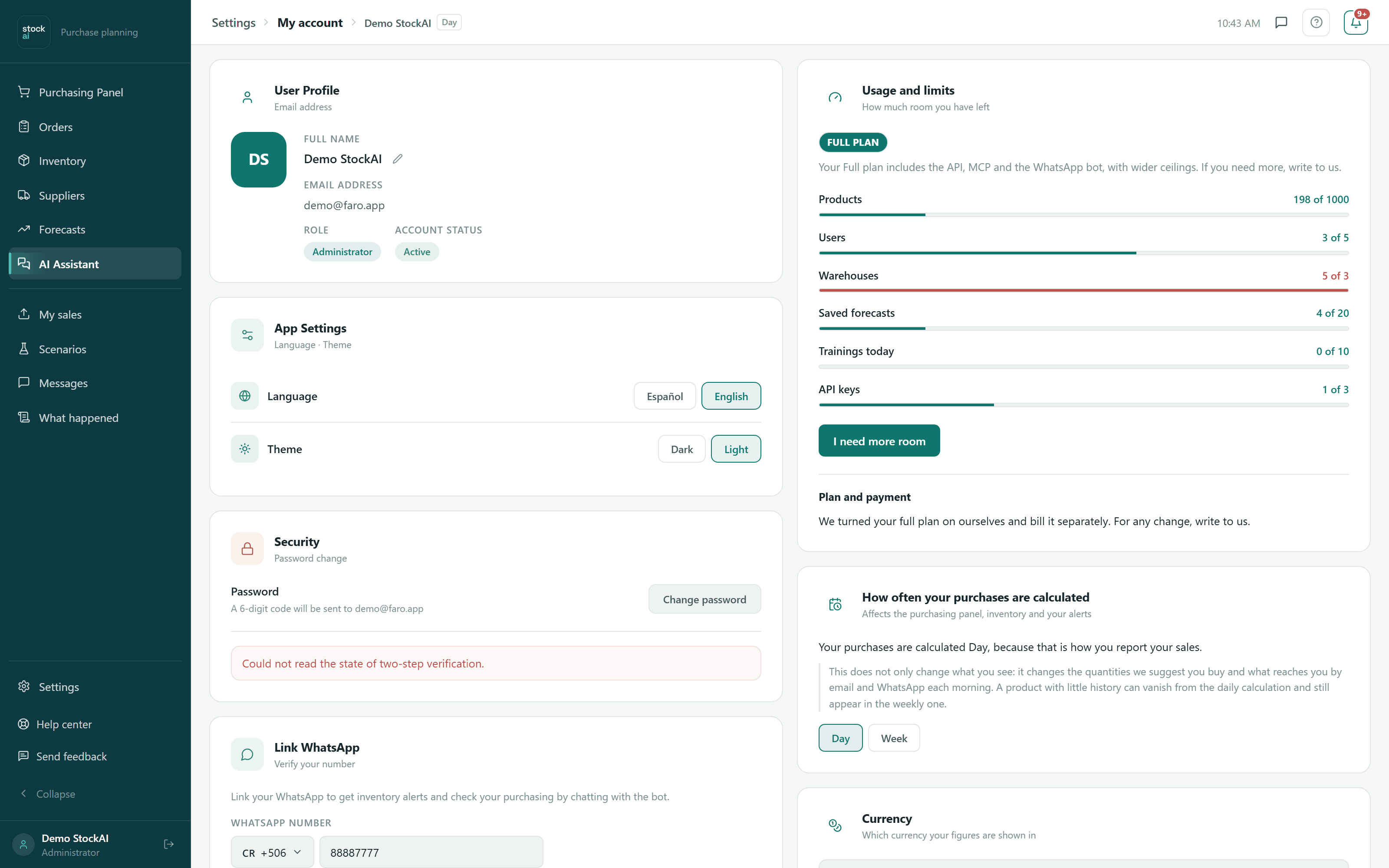
My account
Your profile, the currency your figures are shown in, the language, the time zone — and how much room is left on your plan.
- Usage against each limit, so you see it coming before you hit it
- Currency and time zone, which affect everything else
- Your activity history on the account
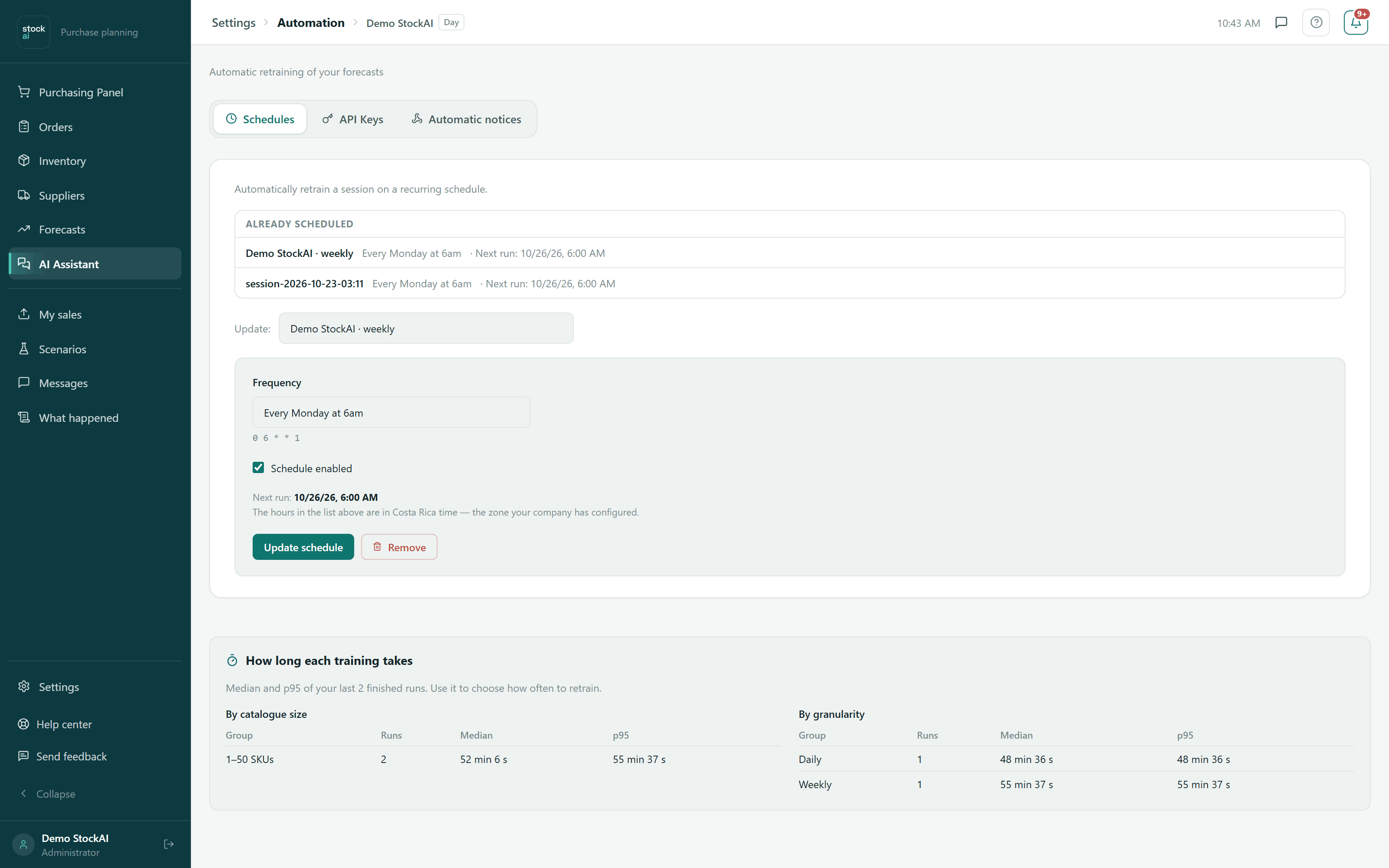
Automation
So StockAI recalculates on its own. You schedule how often and at what hour, and generate the keys your own system uses to get in.
- Scheduled recalculation: every Monday, every day or the first of the month
- API keys, shown exactly once
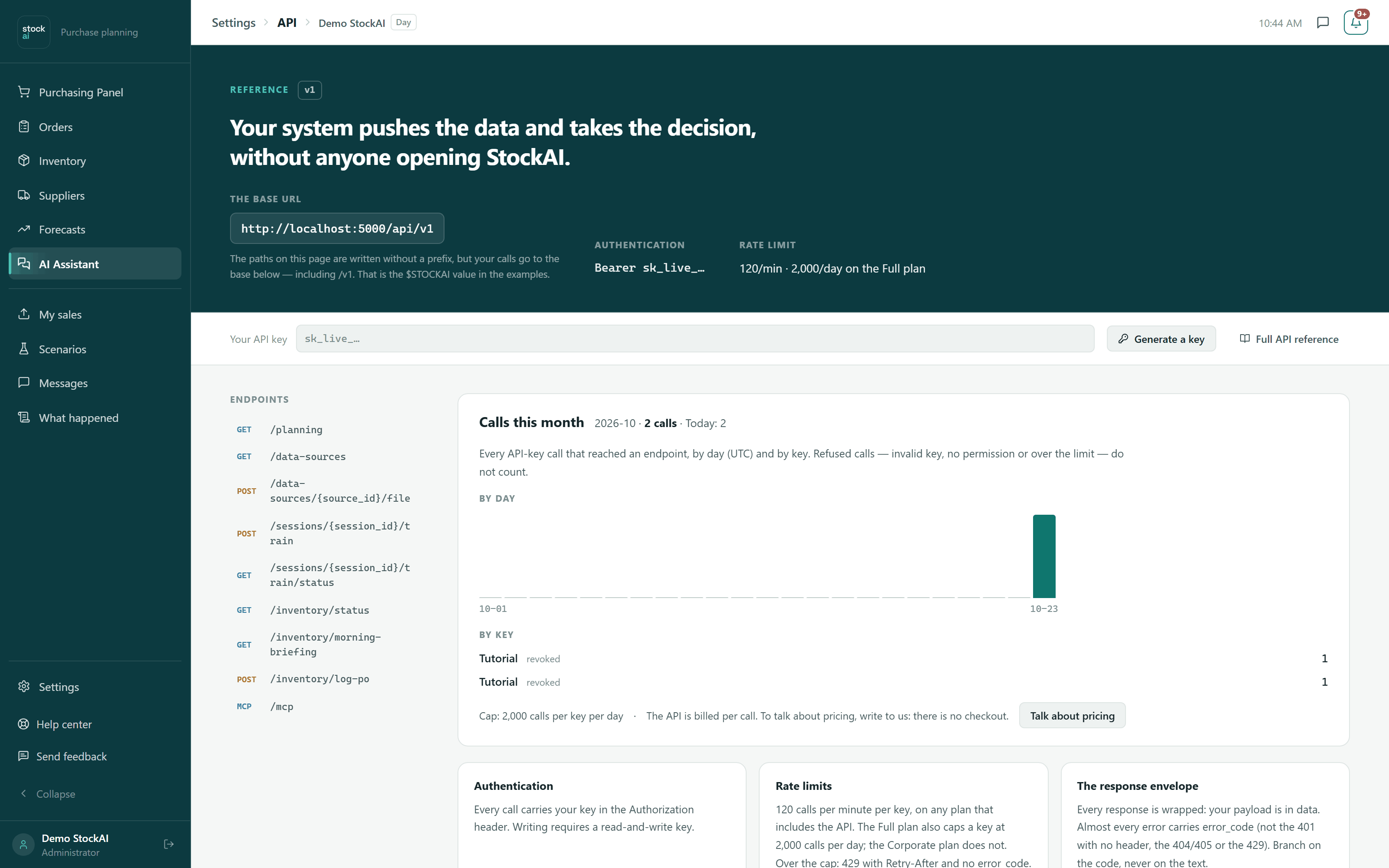
Public API
Your system pushes the data and takes the decision away, with nobody opening StockAI. The documentation lives inside, with your own data to try it.
- The endpoints your ERP needs, with examples ready to copy
- Authentication, limits and the response format
Or read the whole thing, unhurried.
The user manual covers all nineteen screens at the same depth: what each one is for, what every figure means, how to do the concrete things, and what tends to confuse people. Same product as these captures, not a shortened version.
Put your own AI to work forecasting your sales. Today.
Three ways to start, depending on how much you want to commit right now. All three lead to the same product.
Create your account
With the whole engine. Upload your sales file and see your first forecast, and with it your first list of what to order.
Create my accountLook before giving your email
An instant trial account with sample data. It lasts 24 hours and is then erased.
Try it without signing upTalk to us
For the corporate plan, the source code, or to see it with your data and someone beside you. We answer within 24 hours.
Sales and contact: contacto@stockai.es. Phone: +506 7186 2820.
Sales forecasting made in Costa Rica, for companies across Latin America.