Installation: services on and off
Which services this StockAI installation has, which are on, what is lost with the ones that are not, and your company's own channels.
On this page
Open Installation from Settings → Installation. It has two tabs that answer to two different people:
- This installation
- Belongs to whoever runs the server: the email, WhatsApp, AI, payment credentials and so on. It is not opened by a company's administrator role but by the addresses the server names in
INSTANCE_ADMIN_EMAILS. (If the server has a single company and nobody is named, its administrator operates the installation while it stays the only one; the screen warns about it.) - My channels
- Belongs to your company: its own email sender and its own WhatsApp number. Any administrator of the company sets it up.
What each reader sees
- Analyst or read only: the row is not in Settings, and the address shows "This account does not operate the installation".
- Administrator who does not operate the installation: lands straight on My channels, with a line explaining why; the This installation tab shows "This account does not operate the installation". If the server names nobody, you will see "This installation has no operator".
- Installation operator: both tabs, editable. The demo account in these captures is an operator.
Installation status
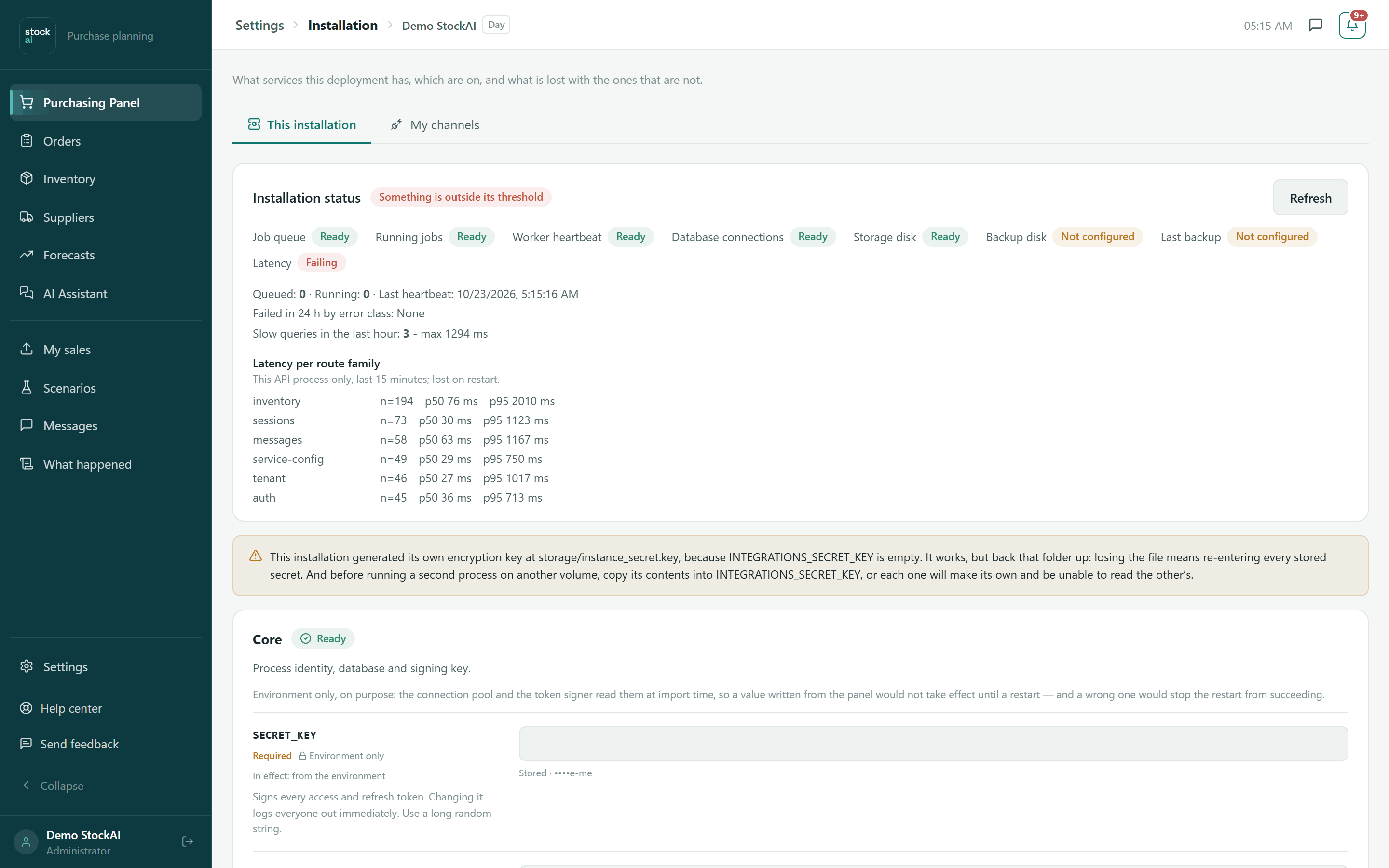
At the top, a health summary with "Refresh": job queue, jobs running, worker heartbeat, database connections, storage disk, backup disk, last backup and latency, each Ready, Not configured or Failing. If one is out of its threshold, the title says so. Below: queued and running jobs, failures in the last 24 hours, slow queries and latency per route family (this process, last 15 minutes).
Notices may appear: the encryption key the installation generated itself (back that folder up), that no secret can be stored, that stored configuration could not be read, operator access "because yours is the only company" or undocumented settings.
A service card
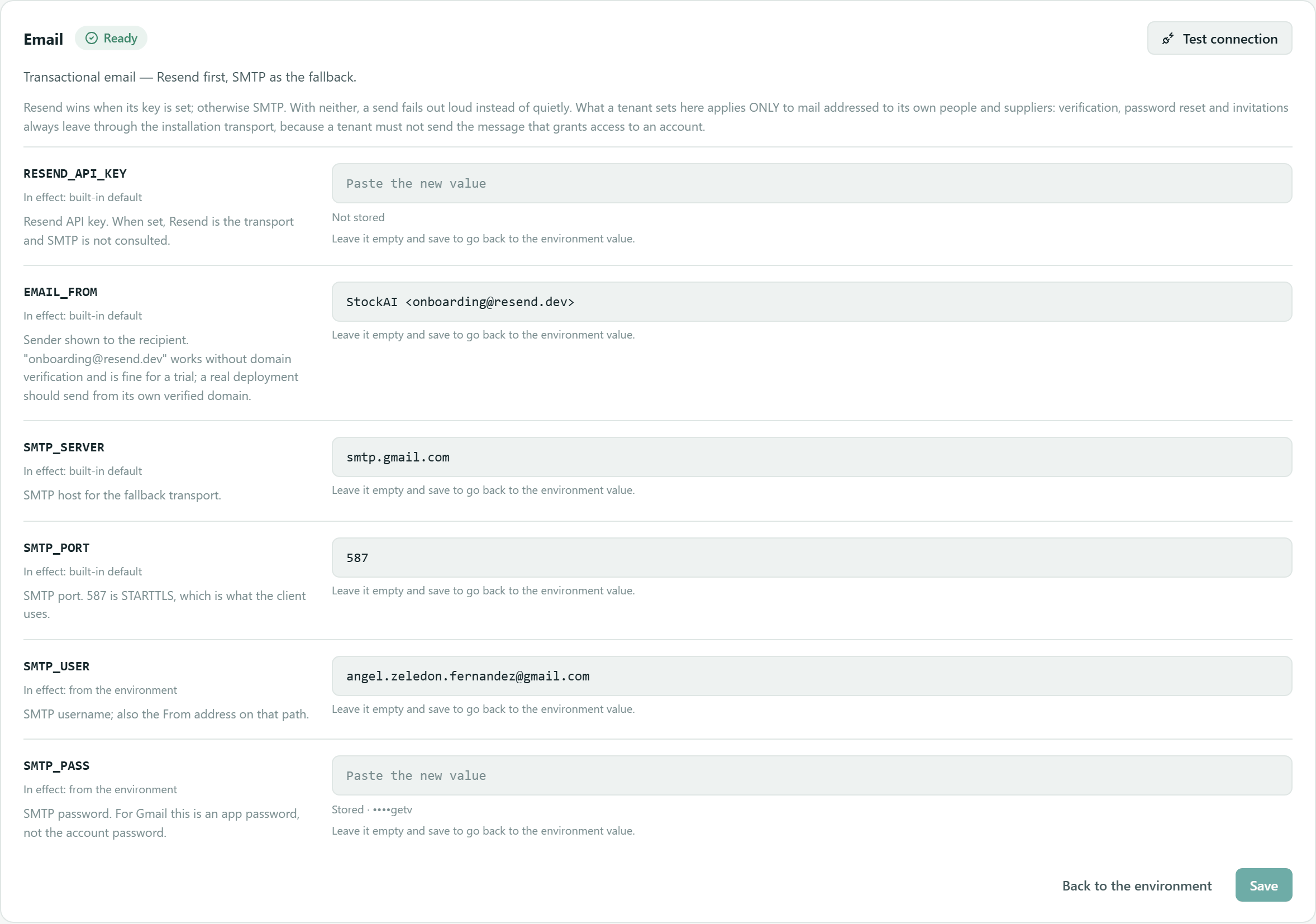
Each service (Core, Assistant, Email, WhatsApp, SMS, Document search, Secret encryption, Commercial contact, Online payment, sign-in with Google/Microsoft/Apple, Sales by e-mail, company sign-in, Worker, Size ceilings, Customer databases, Each company's own AI, Public-API-only mode, Operations) has:
- State
- Ready, On, Not configured, Off or Failing (configured but failing: for example a key revoked at the provider).
- Test connection
- Checks the credential against the provider and gives the result: answers correctly, rejected the credential, could not be reached, did not answer in time…
- Each variable
- Its name, whether it is Required, whether it is Environment only (changed in the
.envfile and needs a restart; the panel shows it but never writes it), and In effect: where the value that rules comes from (this panel, the environment, your company or the built-in default). - Secrets
- Never shown: the field is empty and below it reads "Stored · ••••abcd" or "Not stored". Typing replaces; leaving it empty and saving goes back to the environment value.
- Save / Back to the environment
- Save applies without a restart. Back to the environment deletes what the panel stored for that service (asks to confirm).
A service that is off
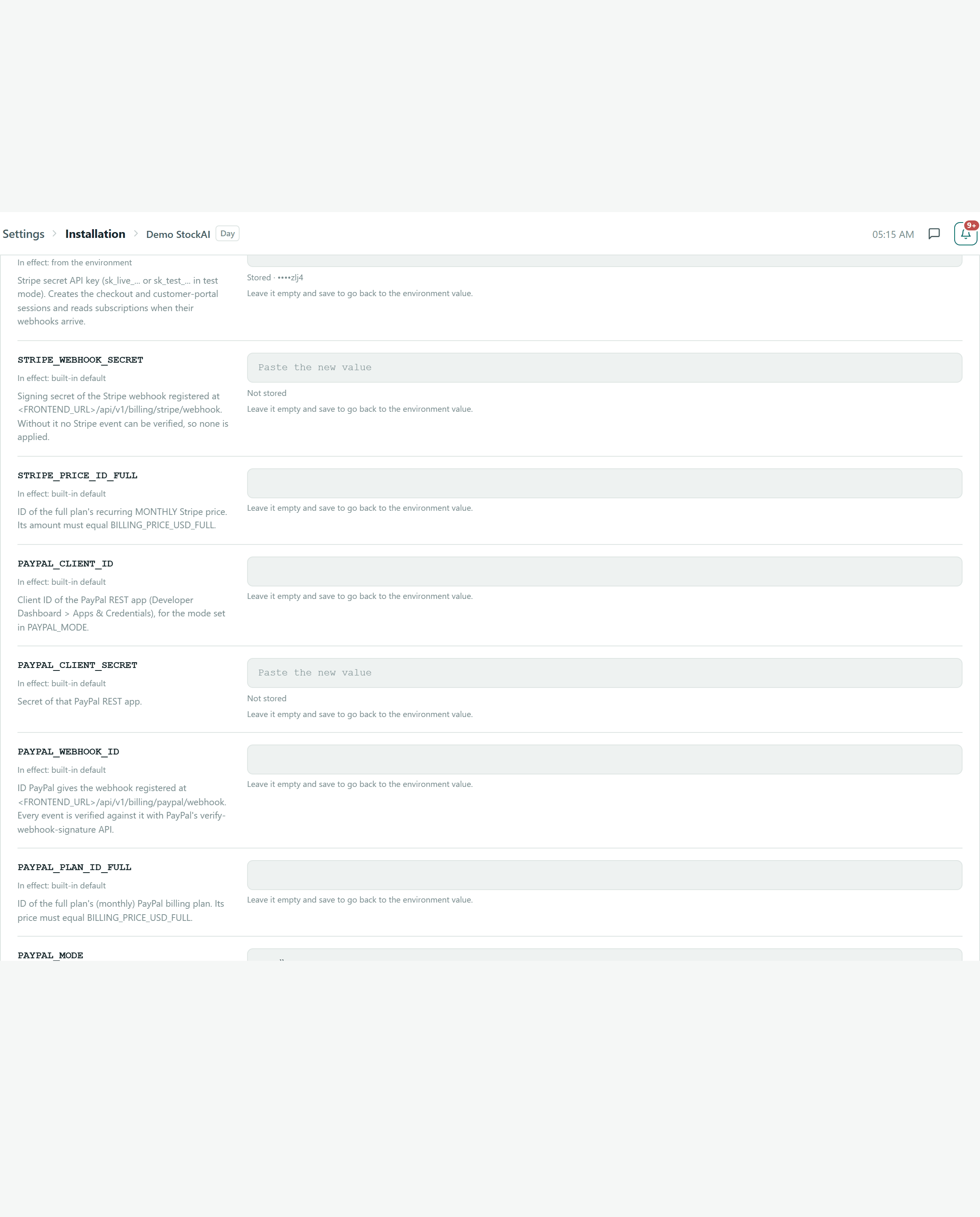
A service without its credential is not an error: it is off and says so. The yellow box explains what is lost while it stays that way, and Missing: names the variables (with "or else" when there are two paths, such as Stripe or PayPal).
Where each value comes from
Every field says which value is "In effect": from your company, from this panel, from the environment (the server's .env file) or the built-in default. What the panel saves beats the file and takes effect without a restart.
- "Environment only" fields are shown but not editable: the server reads them at startup.
- A saved key is never shown again; at most you see its last four characters, so you can tell which one you pasted.
- "Back to the environment" removes what the panel saved for that service and hands control back to the server file.
My channels
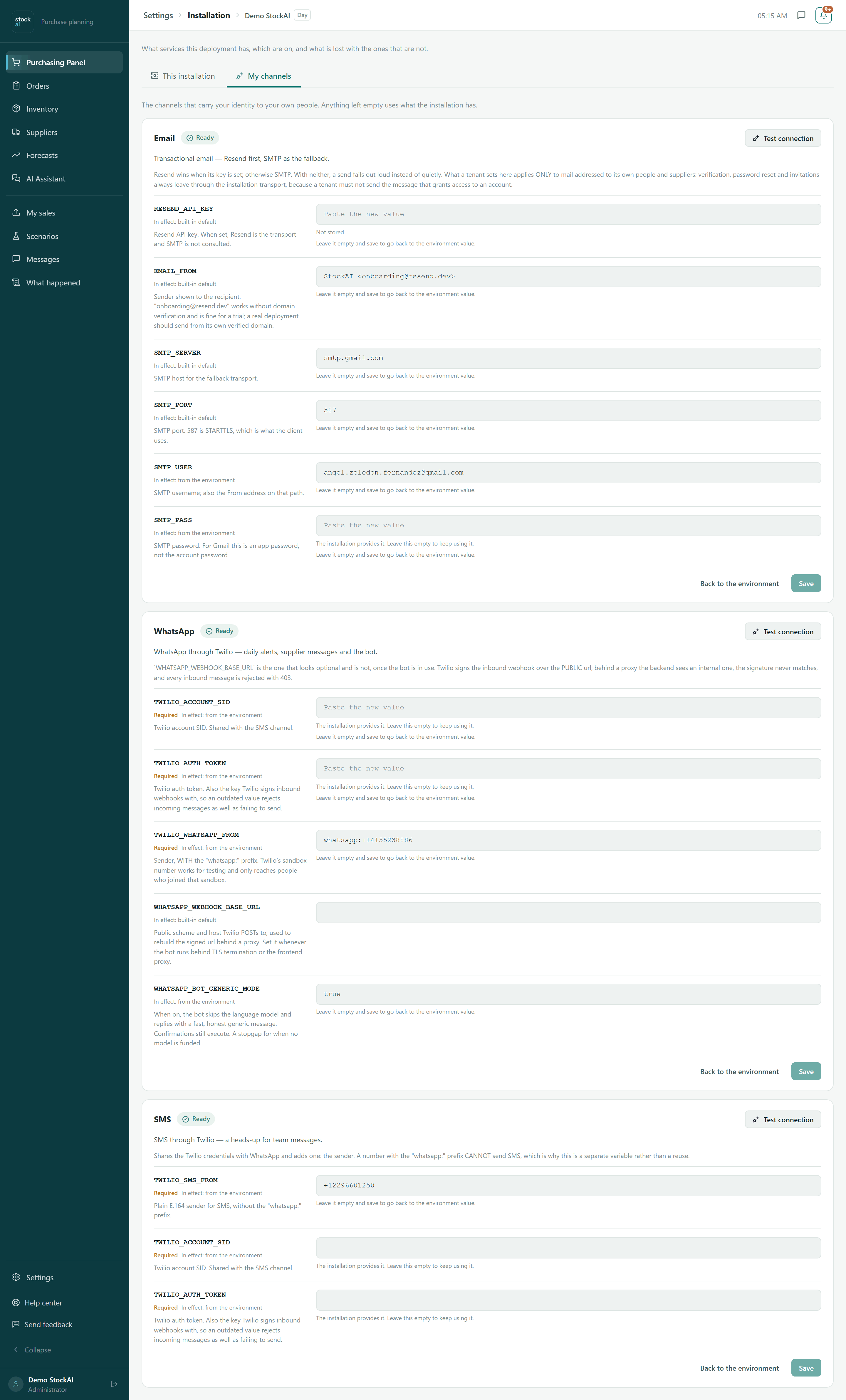
The channels that carry your company's identity to your own people and suppliers: your email sender and your WhatsApp or SMS number. Anything left empty uses what the installation has ("The installation provides it. Leave this empty to keep using it."). Email verification, password resets and invitations always go out through the installation's email.
Example: turn the assistant on
- Under "This installation", find the "Assistant (DeepSeek)" card.
- If it says "Not configured", the card names the missing variable:
DEEPSEEK_API_KEY. - Paste the key and press "Save".
- Press "Test connection": it should say "Answers correctly."
- Open the assistant: the "unavailable" notice is gone.