Try without signing up
The trial account: a username and password on the spot to walk through StockAI with sample data for 24 hours, with no email and no card.
On this page
From the home page, «Try it without signing up» opens Your trial account. On arrival StockAI creates a trial company with a made-up username and password, and shows them to you. It asks for no email, name or card.
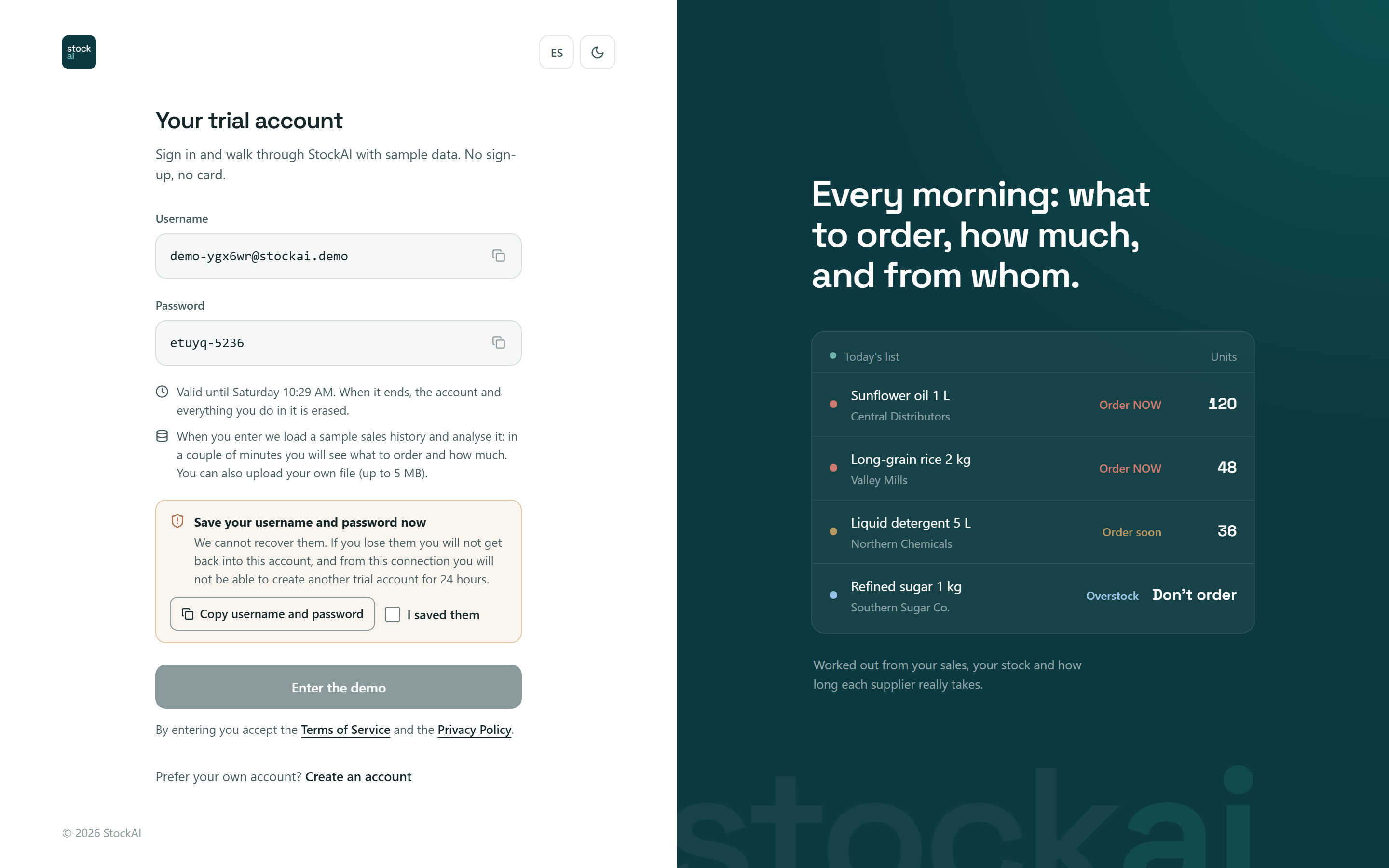
What is on the screen
- Setting up your account…
- Shows for a few seconds while the account is created.
- Username
- A made-up address like
demo-xxxxxx@stockai.demo. That domain does not exist: nobody can receive email there and StockAI never sends anything to it. The button on the right copies it. - Password
- A generated password (five letters, a dash and four digits, with no look-alike characters). The button copies it.
- Valid until …
- The day and time it ends. When it ends, the account and everything you did in it is erased.
- When you enter we load a sample sales history…
- What happens when you enter: a sample sales history is loaded and analysed; in a couple of minutes you see what to order and how much. You can also upload your own file of up to 5 MB.
- Save your username and password now
- They cannot be recovered: the server keeps only a fingerprint of the password. If you lose them you will not get back into that account.
- Copy username and password
- Copies both to the clipboard together.
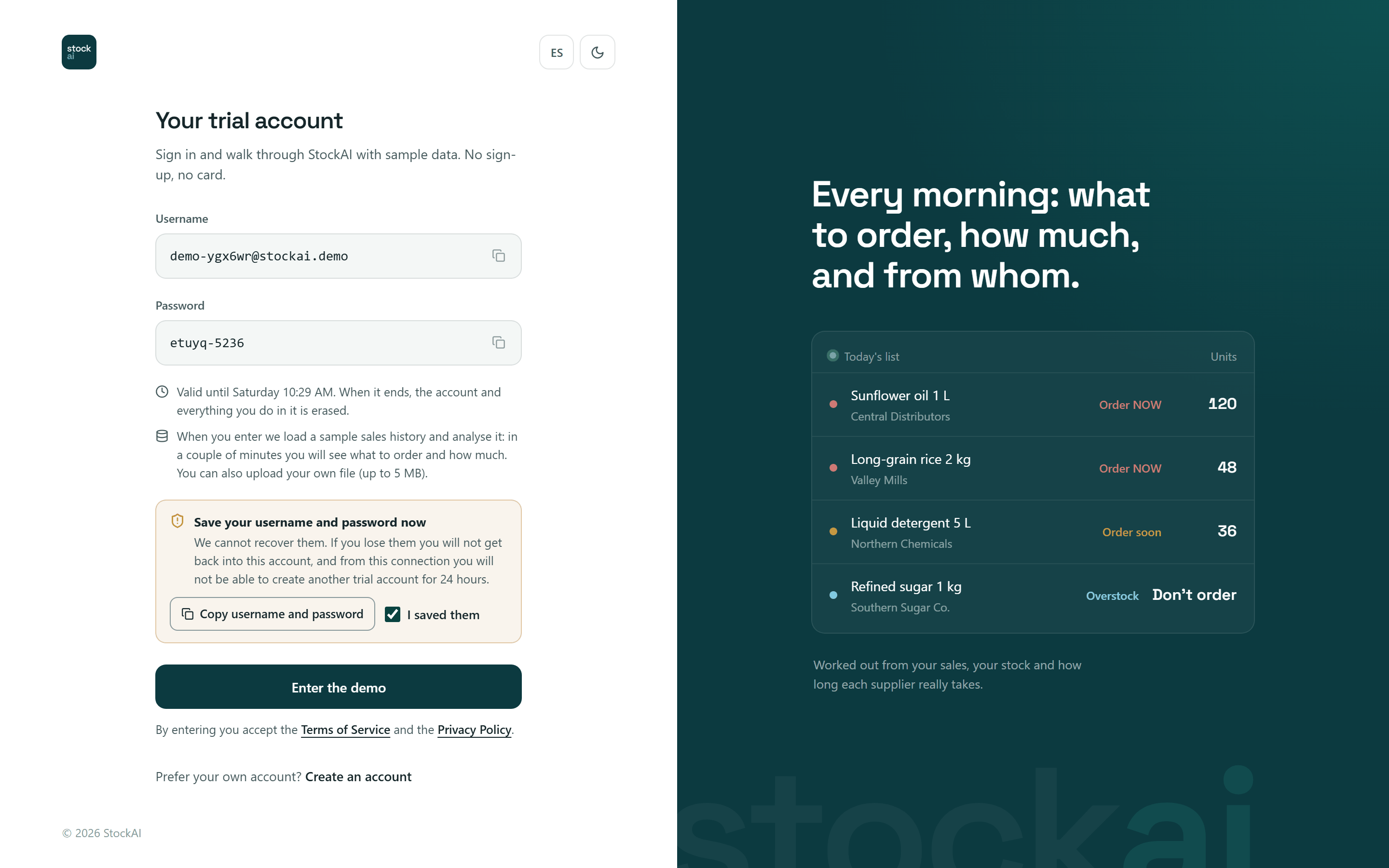
- I saved them
- Required box to enable entering.
- Enter the demo
- Signs in with the trial account and takes you to My sales with the sample load under way.
- By entering you accept the Terms of Service and the Privacy Policy.
- The acceptance is recorded when the account is created.
- Prefer your own account? Create an account
- Opens Create your account.
Entering the demo step by step
- On the home page press «Try it without signing up» and wait for the username and password to appear.
- Press «Copy username and password» and paste them somewhere at hand (or copy them one by one).
- Tick «I saved them».
- Press «Enter the demo». You see the sample sales load and the analysis progress until there is a traffic light to look at.
- To come back later within the 24 hours, go through Sign in with that username and password.
What a trial account can and cannot do
| Limit | Value |
|---|---|
| Duration | 24 hours from creation |
| Products (SKUs) | 30 |
| Users | 1 (you cannot invite anyone) |
| Analyses at a time | 1 |
| File size | 5 MB |
| Trial accounts per connection | 3 a day |
- It sends nothing outside: since its address is made up and never verified, invitations, sending orders to suppliers and notifications stay closed.
- While you use it, a «Trial account» strip reminds you how long is left («ends in N hours.») and that everything is erased when it ends, with a «Write to us» button to ask for a real account with your own data.
- When it ends, sign-in refuses it («This trial account has ended…») and the account is erased within the next hour. If before it ended you wrote to us asking for a real account, the account is not erased while that request is pending.
If it cannot be created
- «You already created several trial accounts from this connection today…»
- You reached 3 accounts today from your connection. Use the one you have or come back tomorrow.
- «No trial accounts are available right now…»
- The installation reached its ceiling of live trial accounts, or of accounts created in the last hour. Try later.
- «We could not create the trial account…» · Try again
- Another problem. The «Try again» link repeats the creation.