The API screen: reference and console
A reference of the most common API calls with a console to try them with your key, the month's usage and how to connect an AI assistant over MCP.
Open API from Settings → Automation and API → API. The row shows once the account has a key; the address always works. Administrators and analysts can use it (an analyst is exactly who wires the company's system up): the console only acts with the key you paste, never with your session. The API, MCP and the WhatsApp bot belong to the Full or corporate plan.
For a complete step-by-step integration guide, read The API step by step.
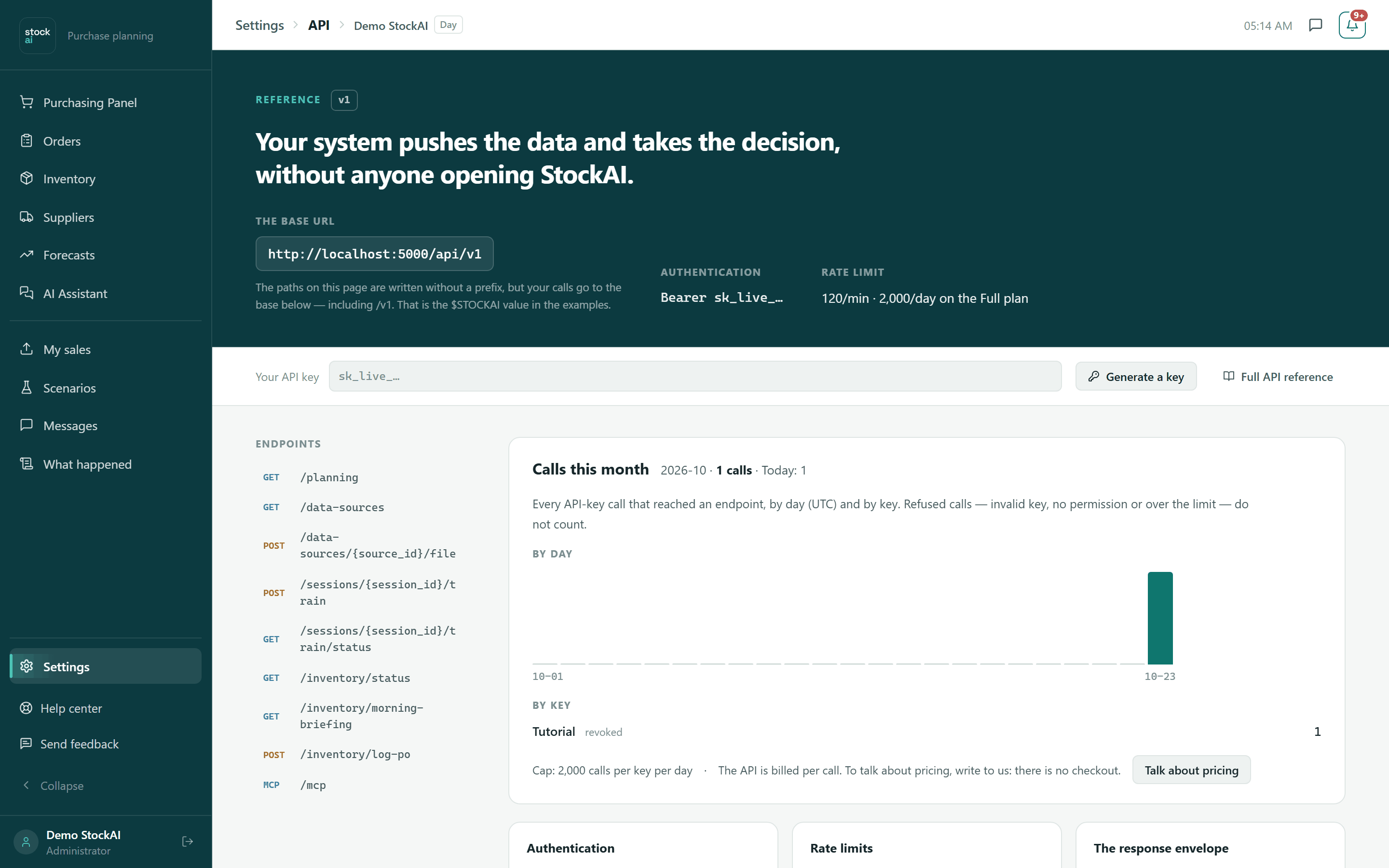
The header
- The base URL
- Where your calls go, including
/v1. Paths on the page are written without a prefix; in the examples this base is$STOCKAI. - Authentication
Bearer sk_live_…: every call carries your key in theAuthorizationheader. Writing needs a read-and-write key.- Rate limit
- 120 calls per minute per key on any plan with the API; each key also has a daily ceiling: 2,000 on Pro and 20,000 on Max (corporate has none). Going over returns 429 with
Retry-After. - Your API key
- A bar that follows you down the page. Paste your key here: it stays only in the page (not stored in the browser) and is gone when you leave.
- Generate a key
- Takes you to Automation → API Keys.
- Full API reference
- The developer documentation with every call, generated from the service itself.
On the left, Endpoints lists the console's calls; press one to jump to it. Below are the general rules: Authentication, Limits and The envelope (every response is wrapped and yours is in data; almost every error carries error_code: branch on the code, not the text).
Try a call
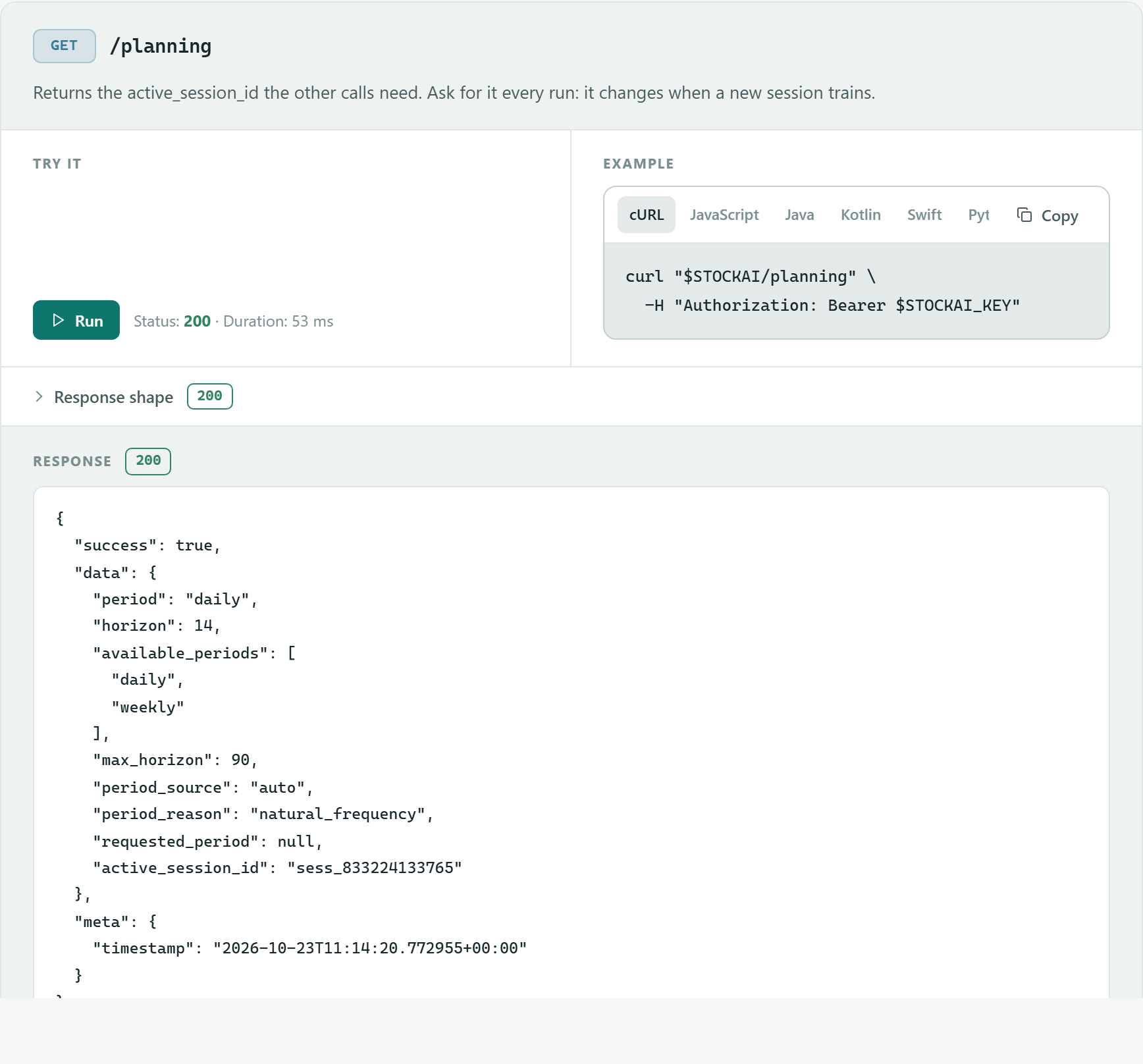
- Create a key in Automation and paste it into Your API key.
- Scroll to the call, for example
GET /planning(returns theactive_session_idthe others use). - Fill in the Try it fields if it has any (
session_id, filters, a file or the request body). Required ones carry an asterisk; if one is missing the card says which. - Press "Run". You will see the HTTP Status, the Duration and the full Response.
- Example
- The same call in cURL, JavaScript, Java, Kotlin, Swift, Python, C#, Go and Rust, with a Copy button.
- Response shape
- Unfolds the schema of what the call returns, field by field.
The console's calls are: GET /planning, GET /data-sources, POST /data-sources/{source_id}/file, POST /sessions/{session_id}/train, GET /sessions/{session_id}/train/status, GET /inventory/status, GET /inventory/morning-briefing and POST /inventory/log-po.
The calls that write
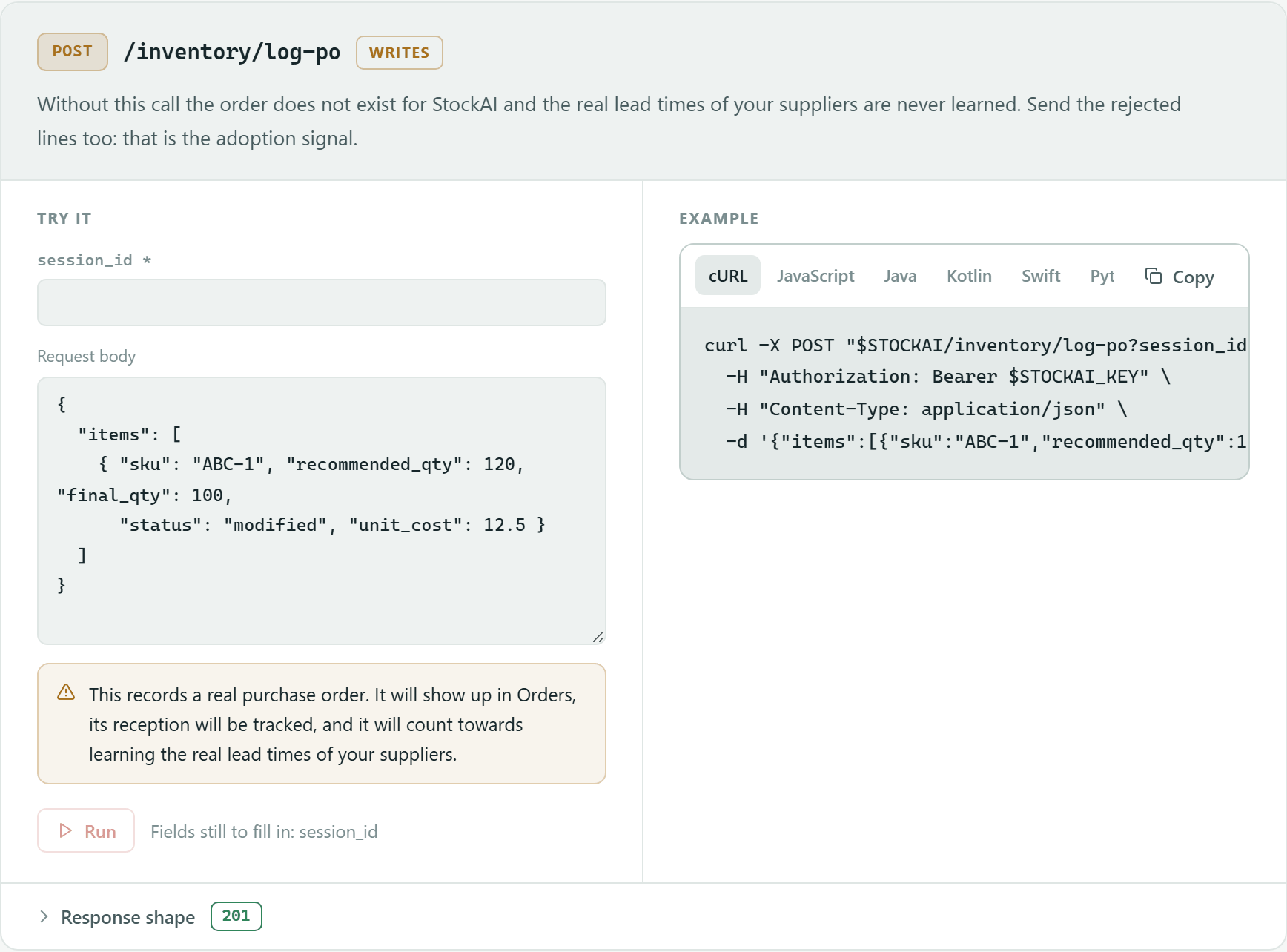
Those marked Writes change your real data; there is no test environment (that is what the sandbox is for). Each explains its consequence before running and asks you to confirm ("This really changes your data"):
POST /data-sources/{source_id}/filereplaces that source's file; the next forecast is calculated with it.POST /sessions/{session_id}/trainqueues a real training: it takes one of your parallel jobs and changes the stock signals when it finishes.POST /inventory/log-porecords a real purchase order: it shows in Orders and counts towards learning your suppliers' lead times. Careful: with an empty body or noitemslist it records an order with every Order now and Order soon product of that session.
Calls this month
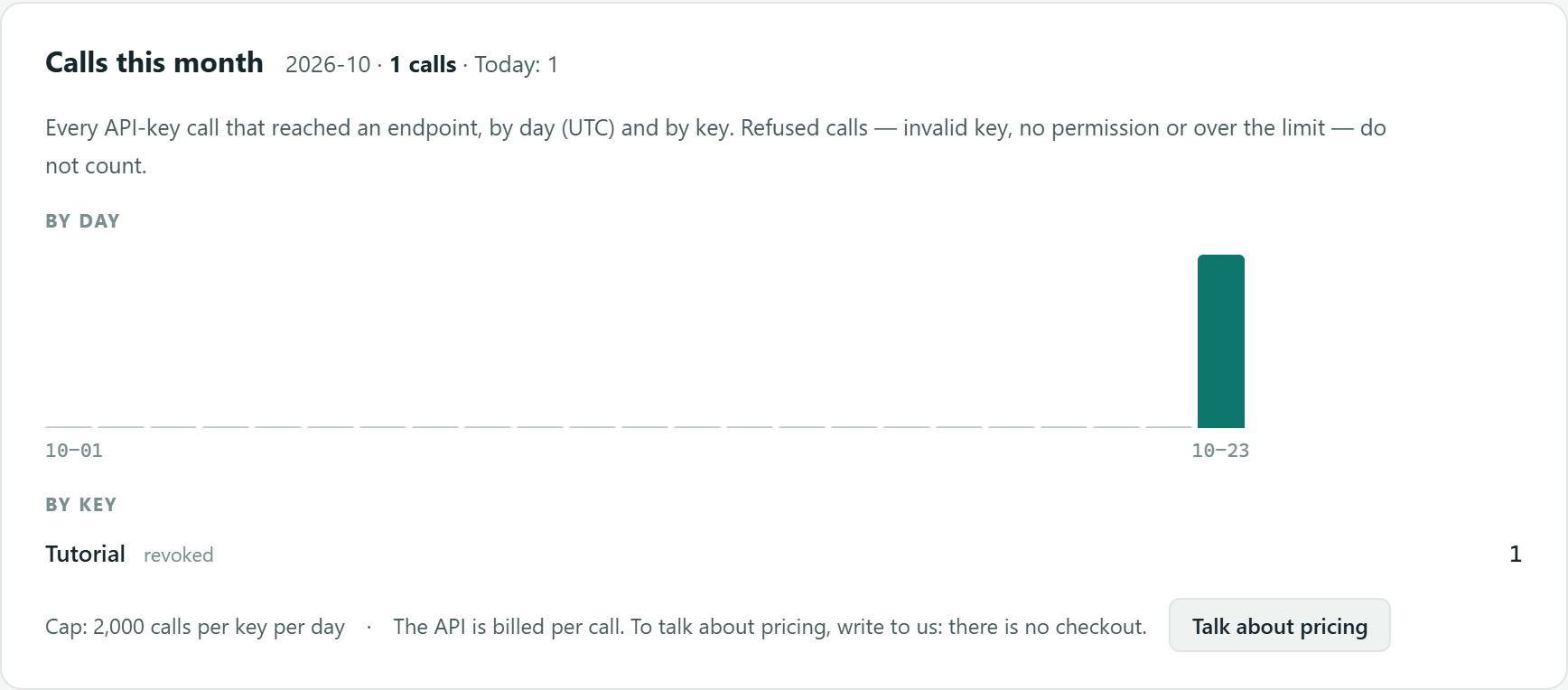
Administrators only (an analyst reads that only an administrator sees it). It counts every call with a key that reached an endpoint, per day (UTC) and per key; rejected calls (invalid key, no permission or over the limit) do not count. It shows the month's total, today's, one bar per day, usage by key (with its access, or "revoked") and the daily cap. "Talk about pricing" opens the dialog to write to us.
Connect your assistant (MCP)
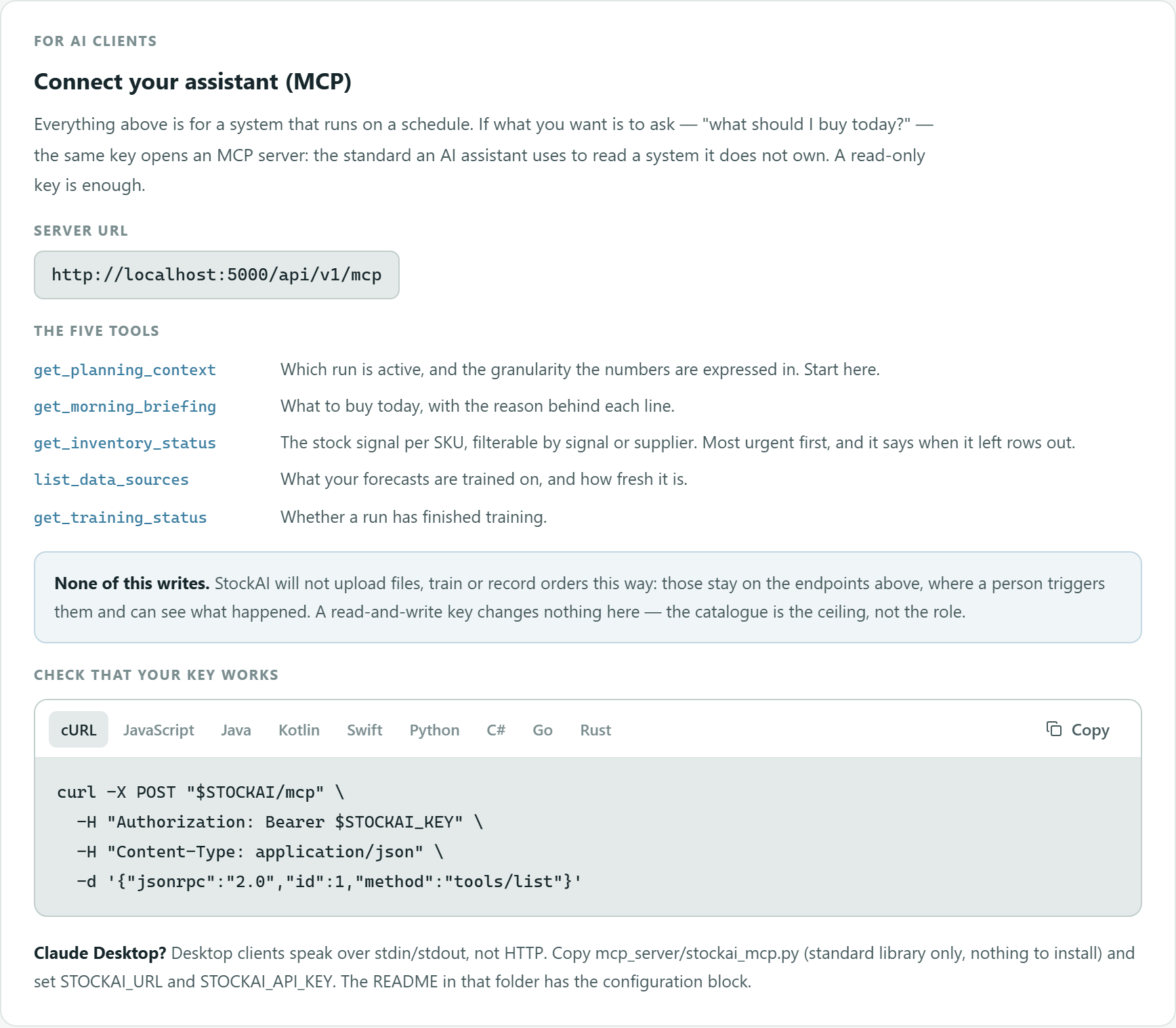
The same key opens an MCP server so an AI assistant can ask "what do I buy today?". A read-only key is enough.
- Server URL
- The base followed by
/mcp. - The five tools
get_planning_context(start here),get_morning_briefing,get_inventory_status,list_data_sourcesandget_training_status.- None of this writes
- Over MCP nothing is uploaded, trained or recorded, even with a read-and-write key.
- Check that your key works
- A ready-to-copy
tools/listcall. - Claude Desktop?
- Desktop clients talk over stdin/stdout: copy
mcp_server/stockai_mcp.pyand setSTOCKAI_URLandSTOCKAI_API_KEY.